  • 10 Product updates
Control Person Access to the Self‑Service Portal

Control Person Access to the Self‑Service Portal

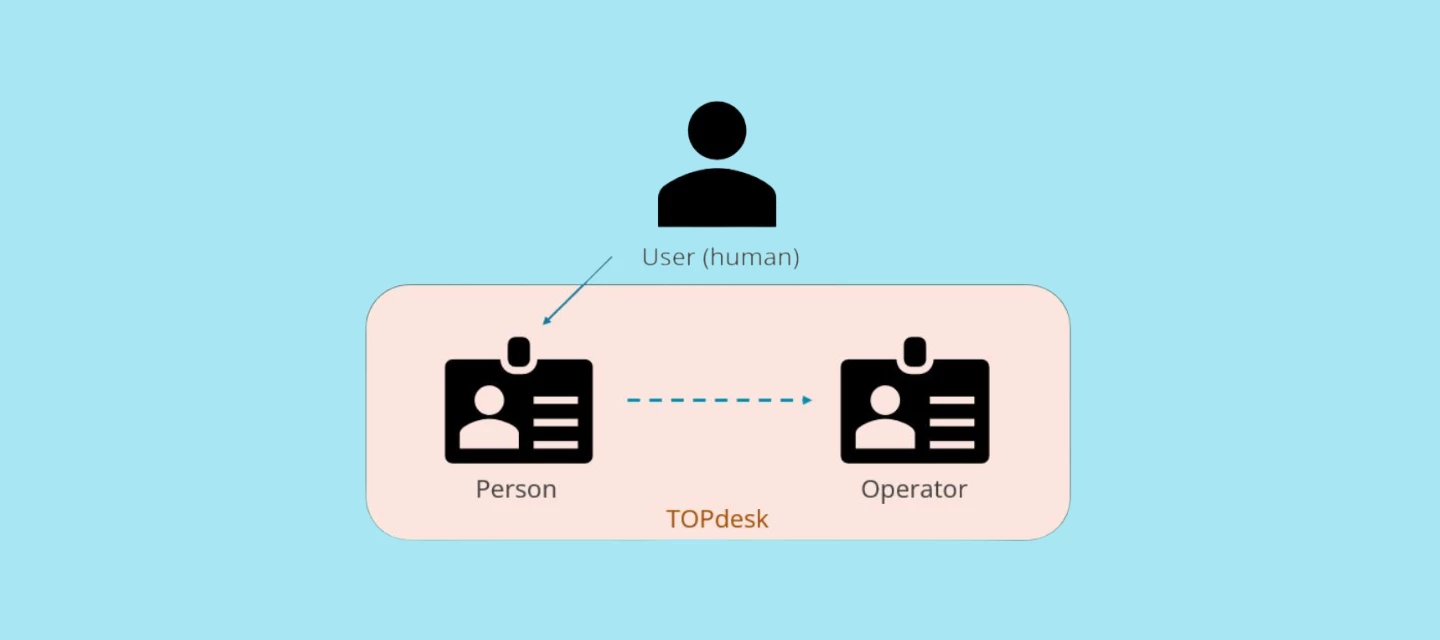
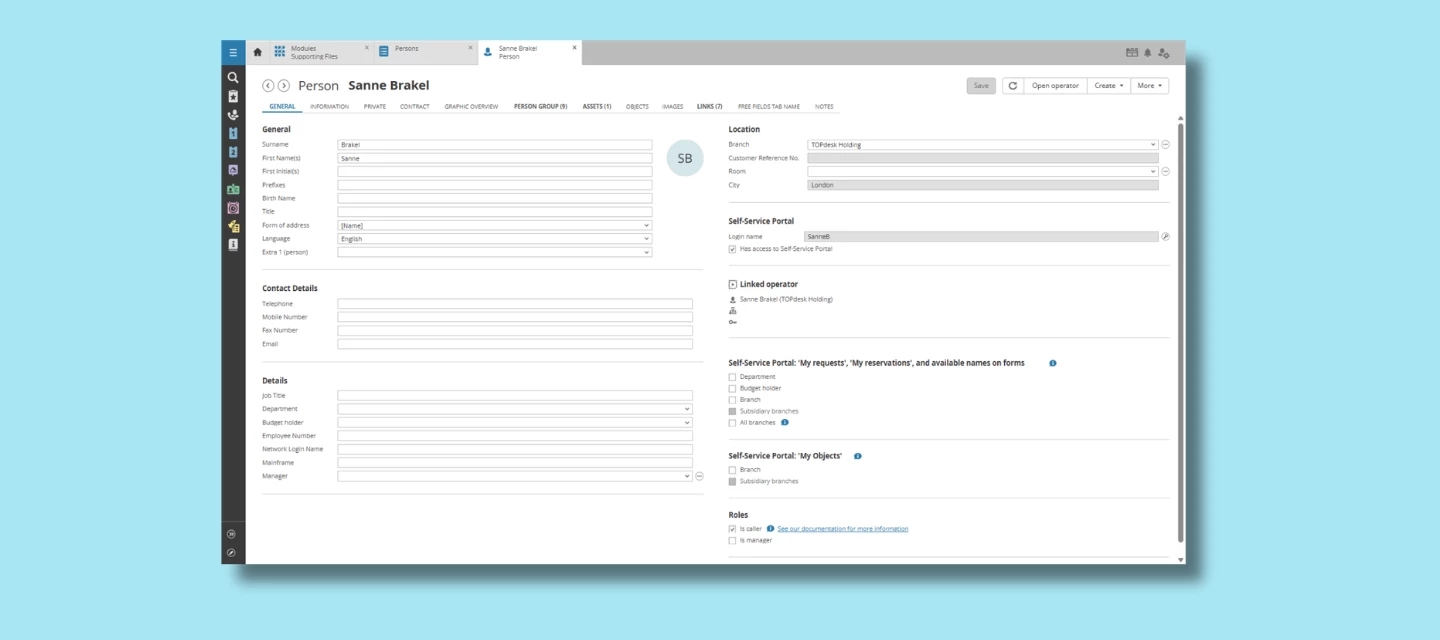
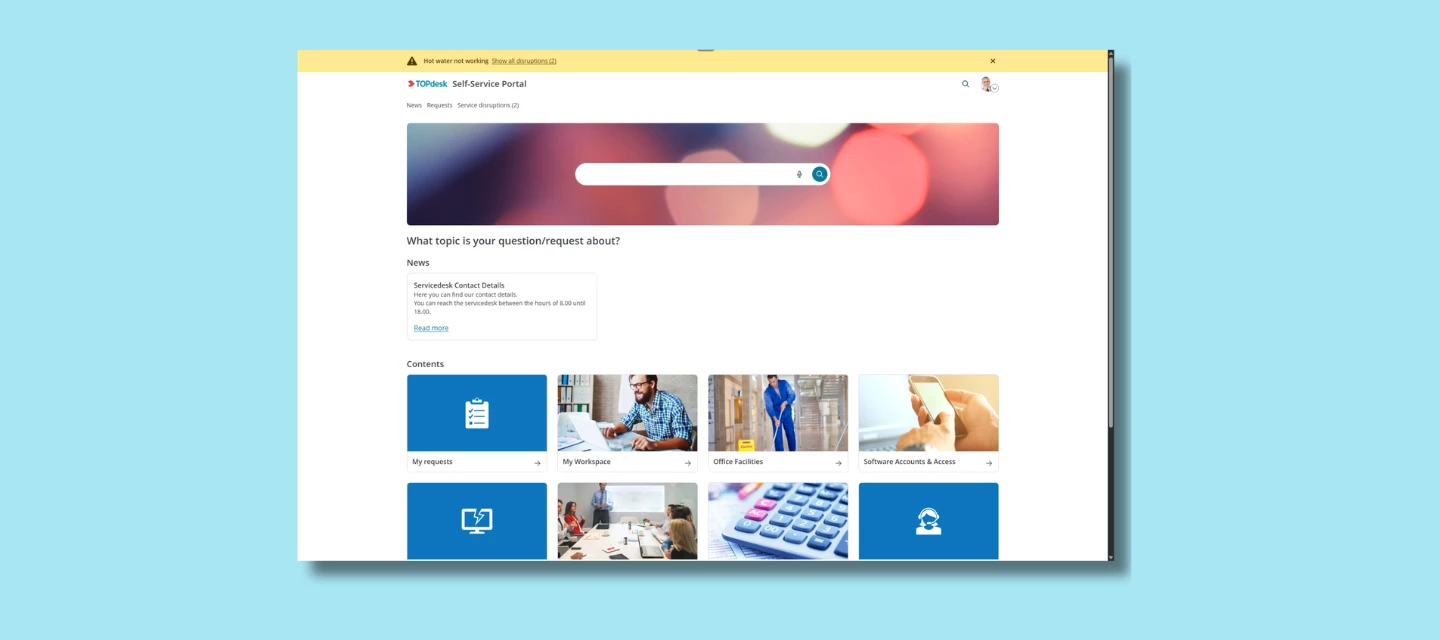
We’re introducing a helpful new improvement to user management in TOPdesk:you can now grant or deny Self‑Service Portal (SSP) access directly on the Person card. This option already existed for Operators, and now it’s available for Persons as well—giving you more control and flexibility.Why this update mattersWith the One TOPdesk User project, every Operator must now be linked to a Person card. However, not every Person should automatically have access to the Self‑Service Portal. Think of external users, system accounts, or individuals who don’t need to submit or track requests.To support this, we’ve added a simple checkbox on the Person card, allowing you to decide who should—and should not—be able to log in to the SSP.This ensures you can:Manage SSP access consistently across all users Prevent unintended access for newly created or imported Persons Better align access rights with internal processes and policies Keep your environment secureHow it worksOn the Person card, you’ll now find a dedicated setting for SSP access.Toggle the checkbox to:Checkbox checked (true) = Grant access – the Person can log in to the SSP to submit or track requests Checkbox unchecked (false) = Deny access – the Person cannot log in, even if linked to an OperatorThis aligns with how SSP access has always worked for Operators, but now gives you the same level of control for all Person records in your environment.API & Import supportFor organizations managing large user bases, this new field is also available via:Person API Import‑to‑API

Related products:Self-Service PortalSupporting Files
License Overview: Export Functionality Now Available
Convert Existing Operators into API Accounts

Convert Existing Operators into API Accounts

We’re excited to introduce a long‑awaited improvement: you can now convert an existing Operator account directly into an API account. This enhancement has been one of the most frequently requested additions from customers, especially since the introduction of the new API account card. Why this mattersBefore this update, the only way to create an API account was through the newly introduced API account card in the Supporting Files module. However, many organizations already had Operator accounts that were originally set up solely for integrations or automated processes. These accounts couldn’t be conveniently converted under the new model... until now. With this release, you can seamlessly transition those existing Operator accounts into proper API accounts, ensuring your environment stays clean, compliant, and easier to manage. What are the benefits?Switching an Operator to an API account comes with several advantages:API accounts are free and don’t consume an Operator license. No Person link required. API accounts are designed for system‑to‑system interactions, so linking them to a Person card is unnecessary. Cleaner user management. Converting legacy non‑human Operator accounts keeps your environment structured and avoids unnecessary overhead. Supports customers who previously used non‑standard setups. Some environments did not mark system accounts with the former API checkbox. With this new option, they can now bring those accounts into the new API account structure with ease.Where to find itYou can access the conversion option directly from the Operator card:More (⋯) → Convert to API account The account will be instantly transformed into an API account card, automatically inheriting the correct configuration for authentication and licensing. Part of the One TOPdesk User visionThis feature is a key step in our ongoing effort to create a clear distinction between human users and system accounts. By providing the ability to convert existing Operator accounts, we support customers in transitioning smoothly to the improved, future‑ready setup for API and system integrations.

Related products:Supporting Files
Reporting

New Knowledge Management Reports Live in the TOPdesk Reporting Hub!

Great news! The Reporting Hub continues to evolve and starting today, you’ll find brand‑new reports dedicated to Knowledge Management. These insights help you improve the quality, findability, and effectiveness of your knowledge items, without the need for complex OData exports or external spreadsheets.This release is another important step in strengthening matured Knowledge Management, which plays a key role in improving self‑service, and supporting seamless operator workflows and eventually also enabling AI features, Knowledge management dashboard in the Reporting HubWhat’s New?Alongside the existing duration reports and the Incident Dashboard, the Reporting Hub now includes a dedicated Knowledge Management Dashboard. It brings together several best‑practice reports designed to give you a complete overview of how your organization creates, maintains, and uses knowledge. Later we will add more reports to this dashboard. For instance, giving you insights into how often a KI is used or viewed.Below is a clear breakdown of what the current version of each report offers.Overview of the New Knowledge Management ReportThis report will add insight into how often Knowledge Items are edited, helping track content freshness and maintenance activity. By revealing which items receive frequent updates and which may be neglected, it enables content owners to prioritize improvements, ensure accuracy, and keep the knowledge base up to date.Next to that the report will show which knowledge item is receiving the most positive or the most negative feedback. This is based on the thumbs up & down feature. Part of the new Knowledge Management reports: Creation date and Change date of active KIs Where to Find the New ReportsYou’ll find the Knowledge Management Dashboard directly in the Reporting Hub, accessible via the TOPdesk menu. All current dashboards are conveniently gathered in one place, so you can quickly navigate to what you need.We’d Love Your FeedbackThe Reporting Hub is continually improving. Have ideas for new reports or filters? Let us know through the feedback button inside the Reporting Hub — or submit your ideas directly via TIP. You can also browse and vote on existing ideas there. Your input directly shapes what we build next.

Related products:Knowledge BaseDashboarding & Reporting
Reporting

The Incident Management Dashboard in the TOPdesk Reporting Hub

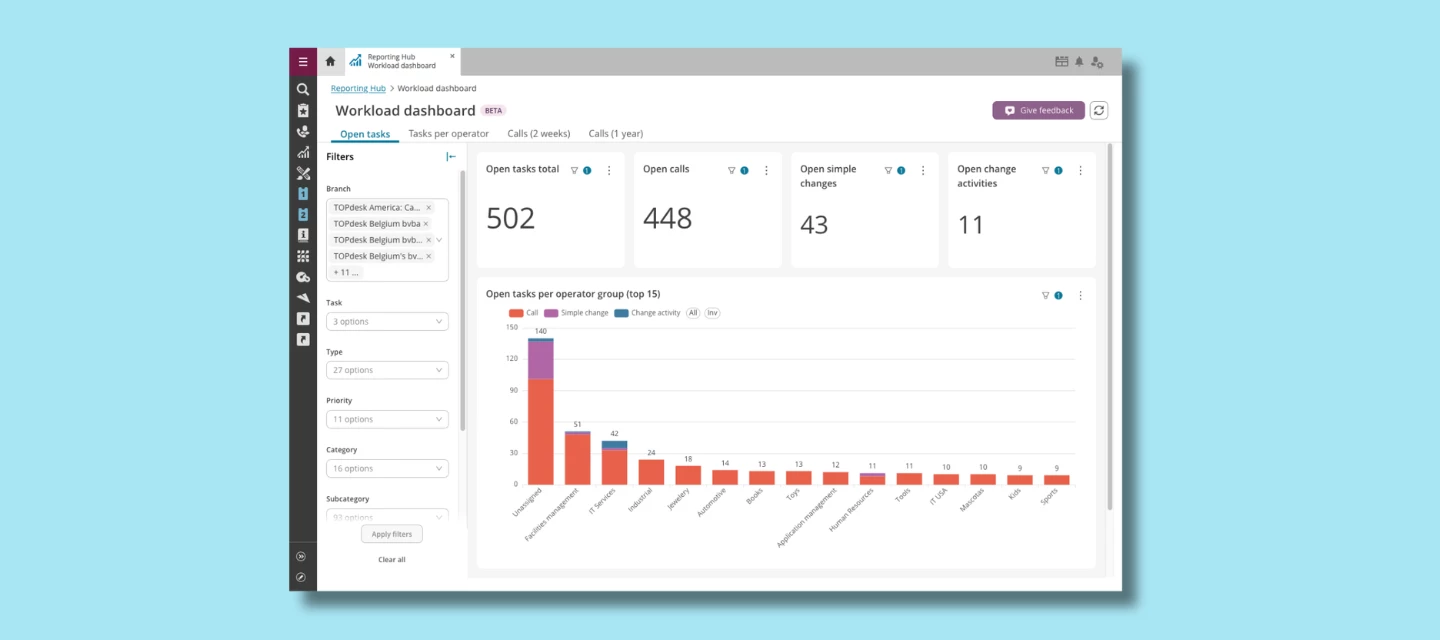
The Incident Management Dashboard is the first full best‑practice dashboard available in the TOPdesk Reporting Hub — and it’s designed to give you instant, meaningful insight into every part of your incident process. Whether you're monitoring trends, identifying bottlenecks, or fine‑tuning service performance, this dashboard brings all the essentials together in one clear, intuitive view. Like all dashboards in the Reporting Hub, it is built on TOPdesk best practices: reports that provide immediate value right out of the box, while still offering full flexibility through interactive drill‑downs and powerful filters. Below, we’ll walk you through each tab of the Incident Dashboard and show how it helps you make informed, data‑driven decisions. What You’ll Find in the Incident Management DashboardThe dashboard currently consists of three dedicated tabs, each focusing on a key area of Incident Management:Incident Composition Workload Compliance  Each tab includes its own filter panel so you can instantly tailor insights to specific time periods, teams, categories, or services. Incident Composition Call composition DashboardThis tab gives you a clear overview of how incidents flow into your service organization, broken down into meaningful groupings such as category, operator group, priority, or any other relevant attribute.What you can do here:See incident distribution at a glance through intuitive pie charts. Drill down for details by right‑clicking on any segment and selecting Drill to detail by to open a full list of incidents within that group. Apply cross‑filters simply by clicking on a chart segment — instantly updating all other visuals on the page.This makes it incredibly easy to spot patterns, outliers, or unexpected spikes in specific categories. Workload Workload reports The Workload tab focuses on the operational heartbeat of your team — showing the volume of open, registered, and resolved incidents over time.What you’ll see:A combined bar/line chart per month that visualizes how incident load develops. A table view with the same data for those who prefer a more detailed or export‑friendly format.This tab is ideal for:Tracking seasonality or structural workload changes Understanding how well your team is keeping up with incoming incidents Supporting staffing or resourcing decisions with concrete figures Compliance Compliancy reportsThe Compliance tab gives a clear picture of how your team is performing against SLAs or target dates.Insights provided:Per month: ✔️ How many incidents met their target date ❌ How many incidents breached their target date A matching table view for reviewing details or exporting the data  This helps you quickly identify:Where performance is improving Where processes may need adjustment Whether certain teams or categories consistently struggle with SLA adherence Flexible Filters on Every TabEvery tab in the Incident Dashboard includes its own filters panel. This means you can tailor your insights to specific operator groups, categories or subcategories, priority levels, time ranges and moreThis flexibility lets you zoom in on exactly what matters to your team, without needing to adjust the entire dashboard. How the Incident Dashboard Fits into the Bigger PictureThe Incident Dashboard is one of the first best‑practice dashboards available in the TOPdesk Reporting Hub, alongside, for instance, the Knowledge Management Dashboard (explained in a separate deep‑dive post).These dashboards are designed to gradually replace the old report wizard with modern, intuitive, out‑of‑the‑box reporting tailored to real‑life service scenarios.More dashboards are currently in development, and customer feedback is actively shaping future iterations. We’d Love Your FeedbackThe Reporting Hub is continually improving. Have ideas for new reports or filters? Let us know through the feedback button inside the Reporting Hub — or submit your ideas directly via TIP. You can also browse and vote on existing ideas there. Your input directly shapes what we build next.

Related products:Incident ManagementDashboarding & Reporting
Reporting

Best Practice Dashboards That Work Out of the Box

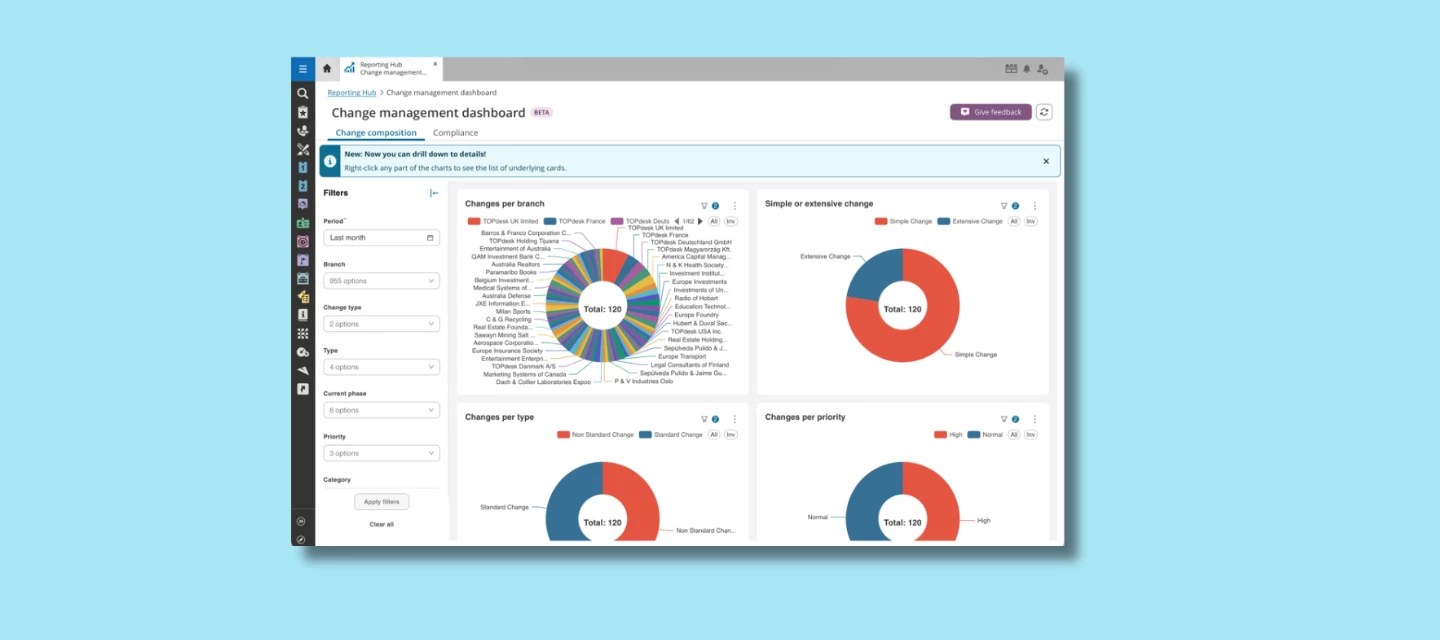
Apart from bringing all existing reporting features together, the Reporting Hub introduces new best‑practice dashboards: prebuilt, standardized reports based on what consistently works well for TOPdesk customers. These dashboards give you immediate insight, while still allowing you to adjust filters and tailor the view to your organization’s needs. Built for clarity You don’t need to start from scratch, each dashboard comes with meaningful groupings, clear panels, and practical drill‑down options.   Built for flexibility Prefer to zoom in on a department? Need to focus on a category? Just tweak the filters to make the dashboard fully your own.Reporting Hub in TOPdesk The Incident Dashboard: A Powerful First StepThe Incident Dashboard is the first full best‑practice dashboard available in the Hub, giving a complete snapshot of your incident process. It currently includes three tabs:Incident Composition: explore incoming incidents, grouped in various ways. Drill down for details or apply cross‑filters directly from the charts. Workload: track registered, open, and resolved incidents per month, both as visual charts and as a table. Compliance: see how your team is performing against target dates, including achieved vs. breached SLAs.  Each tab includes its own filter panel so you can focus on exactly the incidents that matter to you. Incident management dashboard The Knowledge Management Dashboard The Reporting Hub also includes a Knowledge Management Dashboard with a high‑level “Knowledge Maintenance” view. It summarizes the health of your knowledge base, showing overall item counts, helpfulness, feedback insights, and more. Knowledge management dashboard The Future of the Reporting HubThe Reporting Hub is currently available as a beta, and we are gradually expanding its capabilities. Expect additional dashboards for other TOPdesk modules, improved filtering options, and even more best‑practice insights as we continue to build on feedback from customers and internal teams. We’d Love Your FeedbackThe Reporting Hub is continually improving. Have ideas for new reports or filters? Let us know through the feedback button inside the Reporting Hub — or submit your ideas directly via TIP. You can also browse and vote on existing ideas there. Your input directly shapes what we build next.Together, we’ll make the Reporting Hub the go‑to place for every insight that helps you improve your services.

Related products:Dashboarding & Reporting
One TOPdesk User — Upcoming changes to creating and managing Operator cards

One TOPdesk User — Upcoming changes to creating and managing Operator cards

We’re taking the next step toward a single-user model in TOPdesk. Every operator will need to be linked to a person. This simplifies user management and helps prevent duplicate cards and broken histories.  Key dates  From 1 November 2025, new operators must be created via a person card.  By mid-February 2026, all existing operators must be linked.  Unlinked operators after this date will be automatically linked to a generated person, which may create duplicates or disrupt incident history.   What’s changing  Operators can only be created via a Person card; standalone “Create operator” buttons are removed.  Improved tools are available for bulk-linking existing operators.  API accounts are now a separate card type and do not require a linked person.   What you need to do  Bulk-link your existing operators using the Operators and Persons Link Wizard  Accessible via Supporting Files → Changes in creation of operators.  Matching can be done on login name, email address, employee number, network login name, or mainframe login name.  Recommended: link as many operators as possible before mid-February 2026.  See KI 18571 – Best practices for linking persons and operators.   Depending on how you create Operators Manually  Create operators from the person card.  Use the bulk-link wizard to link existing operators.  Supporting Files import  Add LinkedPerson in the field mapping (mandatory from November 2025).  Run the Person import before the Operator import.  API integration  Add linkedPerson in POST /operators.  Optional now, required from 1 November 2025.  Custom imports  These will be phased out. Switch to Supporting Files before November 2025.  For help, submit the form on My TOPdesk.   Special cases  System accounts and automation accounts: do not adjust; TOPdesk will create dummy person cards when linking becomes mandatory.  API accounts: no linked person required.  Operators without a matching person card: the system will create one automatically when needed.  Archived cards: link only if your organization rehires people; otherwise, auto-linking will handle them.   Useful resources  Roadmap and explanation KI 18571 – Best practices for linking persons and operators  KI 17693 – Check which operators are already linked  KI 8931 – Download custom import scripts  KI 18706 – Details on the new API Account card 

Related products:GeneralSupporting Files
New Self-Service Portal: join our open beta!
Responsible data management: set up exceptions

Responsible data management: set up exceptions

Last month, the redesign of the Personal data protection and File maintenance settings pages was finalized. By grouping together a few settings, and adjusting the overall structure and look of the page, the user experience has improved. With less retention periods to manage, you’ll feel more in control over your file maintenance settings.Add exceptions for specific categoriesWithin the File maintenance settings, part of the Responsible data management section of the functional settings, we recently grouped various options. While this simplifies the settings page, we can imagine that you still need ways to further specify a retention period. For example, do you need to remove attachments from HR incidents after just a few days, while files in security incidents need to be available for a few months? If the answer is yes, the new Exceptions section will help you out.Within the Delete files from tasks block, you’ll find the new Exceptions feature. To add a new exception, click Add exception. In the menu, you’ll fill in a few fields:The task type for which the exception should be configured, such as incidents or changes Which category it concerns What the retention period is for this category A note, in which you can explain why you set up this exceptionAfter confirmation, the exception is added to the list.Check your file maintenance settingsA consequence of these changing file maintenance settings is that you might use a file maintenance configuration that doesn’t fit the new settings structure anymore. Therefore, in some cases, we had to disable certain settings.For this reason, we recommend everyone to check your file maintenance settings. This way, you ensure that your keep on managing data in your environment responsibly and without any data risks. 

Related products:General
Automated Actions: centralize your email designs

Automated Actions: centralize your email designs

Updating the look and feel of your emails just got easier. With the new email designs feature, you can create reusable designs that keep all your email communication consistent—without adjusting each email step separately.What's new?First, we implemented a new version of the email editor. You use the editor in your email steps to determine the foundation of your email: what is the message that you need to send to your customer or the operator? Besides that, you'll find the new Email designs overview in the Automated Actions overview. Here you can:Create multiple email designs for different purposes or groups Design how your emails look by setting fonts, colours, and other styling elements Use the {{CONTENT}} marker to indicate where the content of a specific email step should appear in your designSo, in the email step itself, you can now pick a design from the Design drop-down list. If no design is selected, the email step will look exactly like it's designed in the email step itself. With the Preview button in an email step, you check your design before applying it. Why you should start using email designsBefore, if you wanted to update your email styling—like changing a font or adjusting colours—you had to edit all your email steps individually. Now, you create a design once and apply it to multiple email steps. Need to make a change? Update the design, and all emails using that design are updated automatically. Creating designsThe new email designs feature is ideal for setting up the styling of an email. Within HTML emails, you determine the styling in the <head> element. So, the email design is the ideal feature for determining the styling within that <head> element. Then, the email step within your Automated Action contains the <body> element, or the email’s content.  What to do with existing email stepsThe new email editor is a newer and more future-proof editor. You can only use the new centralized email designs with email steps that use the new editor. However, your emails might look slightly different from before. That’s why we introduced a conversion step: a tool that helps you move your existing email step to the new editor. We recommend the following approach:Create an email design that you will use for your emails. In this design, you basically create a style document that you can use across multiple emails. Convert an existing email to the new editor. In existing email steps that still use the old editor, you’ll find a banner asking you to convert it. The conversion wizard informs you about which parts are taken along (the of the email) and what is left behind (the of the email). After the conversion, your email might look different from before.The conversion is only finalized if you save your automated action. Simply undo the conversion by reloading the automated action. In the email step that you just converted, pick the new design (that you created in step 1) in the Design field.   In the editor of the email step, click Preview to get an impression of what the email step will look like when used.New email steps will make use of the new editor by default. For these steps, we advise to directly start working with the Design feature instead of still styling them within the email step.Coming upThis is the first version of the new email designs feature. In the future, we’ll add more features that make it easier to manage specific styling elements within your design.Read more about email designs in our documentation