


Control Person Access to the Self‑Service Portal
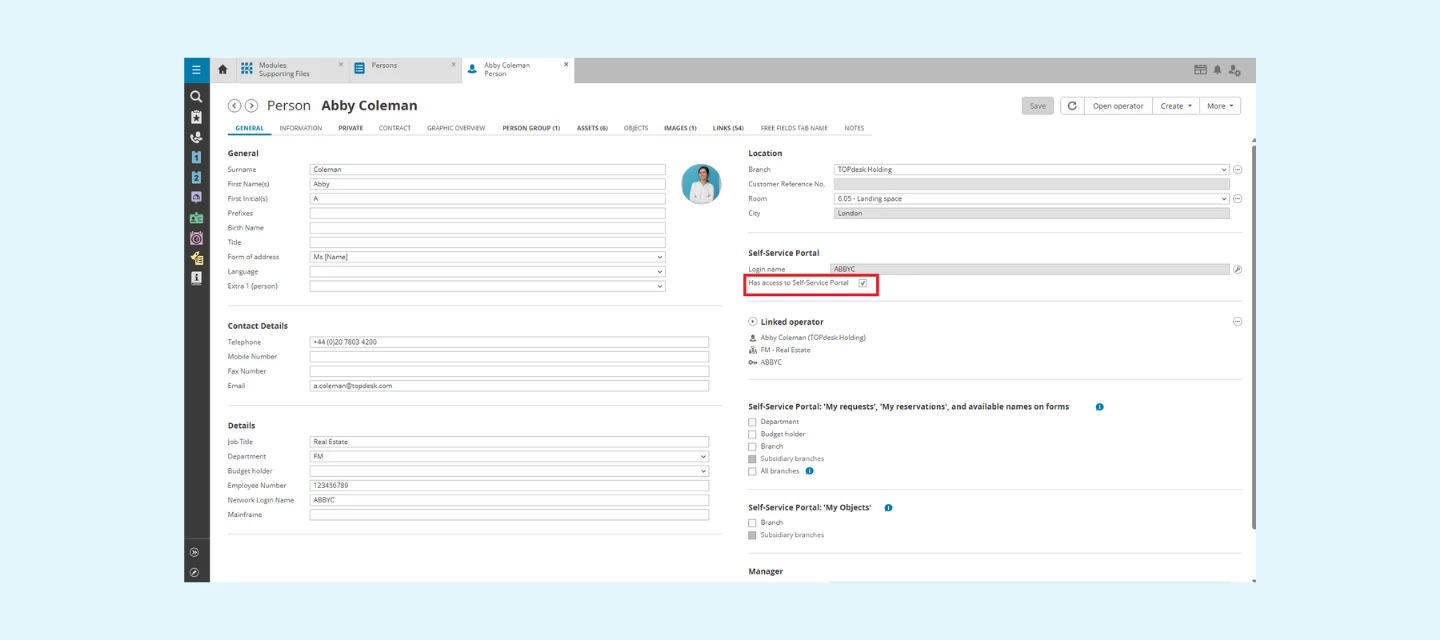
We’re introducing a helpful new improvement to user management in TOPdesk:
you can now grant or deny Self‑Service Portal (SSP) access directly on the Person card. This option already existed for Operators, and now it’s available for Persons as well—giving you more control and flexibility.
Why this update matters
With the One TOPdesk User project, every Operator must now be linked to a Person card. However, not every Person should automatically have access to the Self‑Service Portal. Think of external users, system accounts, or individuals who don’t need to submit or track requests.
To support this, we’ve added a simple checkbox on the Person card, allowing you to decide who should—and should not—be able to log in to the SSP.
This ensures you can:
- Manage SSP access consistently across all users
- Prevent unintended access for newly created or imported Persons
- Better align access rights with internal processes and policies
- Keep your environment secure
How it works
On the Person card, you’ll now find a dedicated setting for SSP access.
Toggle the checkbox to:
- Checkbox checked (true) = Grant access – the Person can log in to the SSP to submit or track requests
- Checkbox unchecked (false) = Deny access – the Person cannot log in, even if linked to an Operator
This aligns with how SSP access has always worked for Operators, but now gives you the same level of control for all Person records in your environment.
API & Import support
For organizations managing large user bases, this new field is also available via:
- Person API
- Import‑to‑API