


License Overview: Export Functionality Now Available
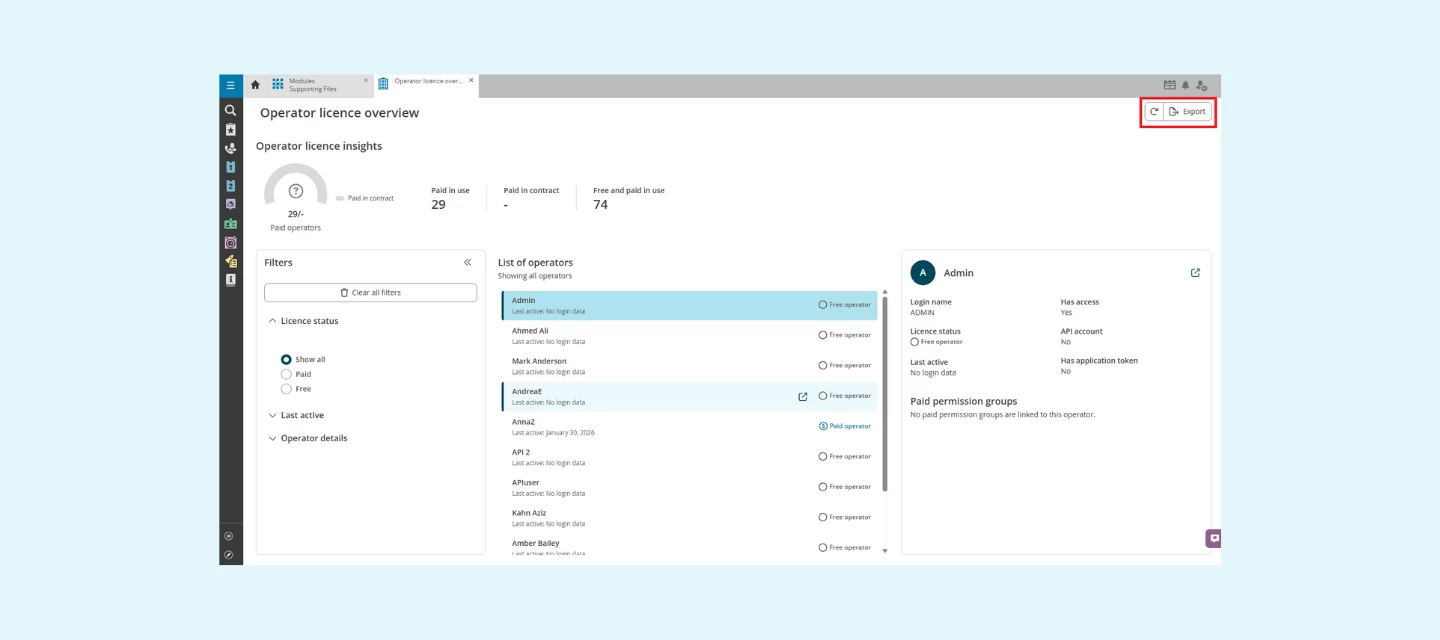
We’re excited to share a new improvement to the License Overview: you can now export your license data directly to CSV. This addition gives you more flexibility to analyse and share your license insights—right from within TOPdesk.
Why this update helps you
Clear insights into license usage support better decision‑making. With the new export functionality, you can:
- Easily share accurate usage overviews with colleagues or management
- Identify optimization opportunities, such as under‑used or inactive accounts
- Keep your administrative records complete and audit‑ready
This gives you more control over your license landscape and helps you maintain a well‑managed environment.
How to use the export option
In the License Overview, you’ll now find an Export button in the top‑right corner.
Click Export, and your CSV file is generated instantly—simple, fast, and ready to use.
Want to learn more?
You can find more details about the License Overview and its features in our documentation:
👉 https://docs.topdesk.com/en/operator-licence-overview.html#UUID-3ac67f73-1cf8-ddbe-8866-69ba6d04bfa2
Looking ahead
We’re continuously improving the License Overview to make license and user management clearer and more intuitive. This new export option is another step toward giving you the insights you need—right where you need them.