


What's new in TOPdesk: TOPdesk Robin takes the busywork, so your time goes where it counts

Last updated: 17 September 2026
Stay informed: subscribe to this post and automatically receive updates
No matter how good your team is, plenty of the day still goes to searching, sorting, and digging back through old tickets instead of solving new ones. That's not a people problem. It's friction TOPdesk can remove.
Today we're announcing Product Launch 3: a set of updates that put an AI teammate to work alongside your team, connect TOPdesk safely to the AI tools you already use, and give every customer a straight answer on how ready they are for AI. Not AI replacing people or solving everything automatically. Just TOPdesk removing what gets in the way.
What's new?
AI Readiness Dashboard — all customers
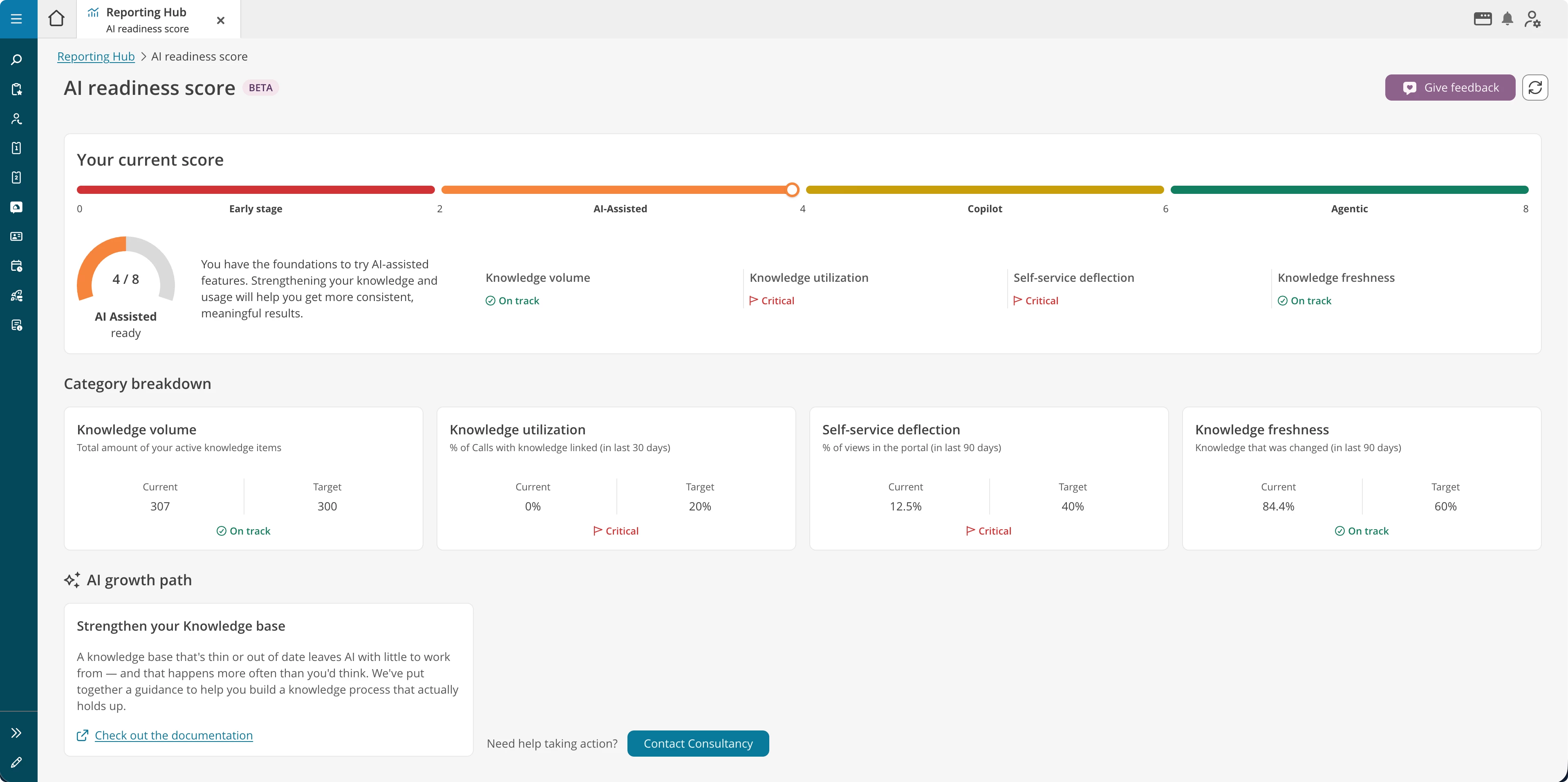
Most teams get an AI mandate before anyone gives them an honest answer on whether they're ready for it. The AI Readiness Dashboard shows you where your knowledge base stands today, how fresh it is, how often it's used, and what to strengthen first, so your AI features actually deliver.
A fresher look for the operator environment — all customers
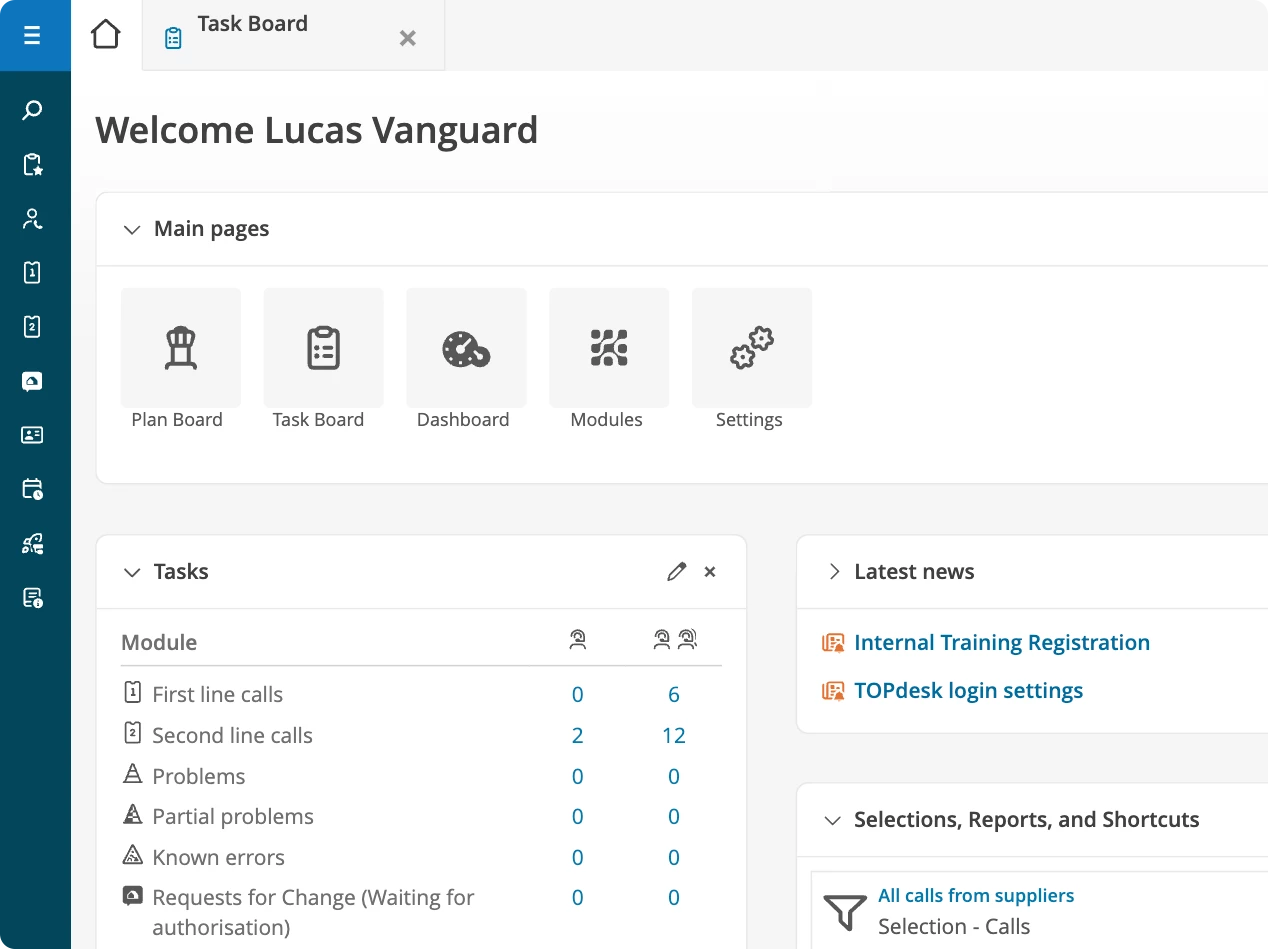
New fonts, icons, colours, shapes and sizes bring TOPdesk's older screens in line with the newer parts of the product. This is visual only: nothing about how you work changes.
More accurate AI Categorization — Engaged
Category suggestions get sharper, learned from how your team has actually handled similar tickets before. It's part of the same update as AI Triage below, sized to the Engaged plan.
AI Triage — Excellent
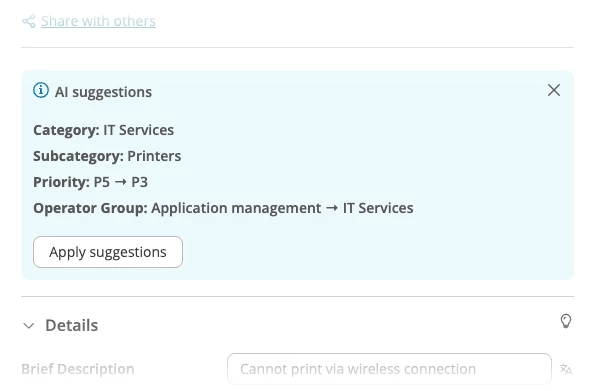
The moment you open a ticket, AI Triage suggests the category, priority and operator group, based on how your team has handled similar tickets before. Pick what fits, hit save, and you're back to solving in about 30 seconds.
Meet TOPdesk Robin, your AI teammate — Excellent
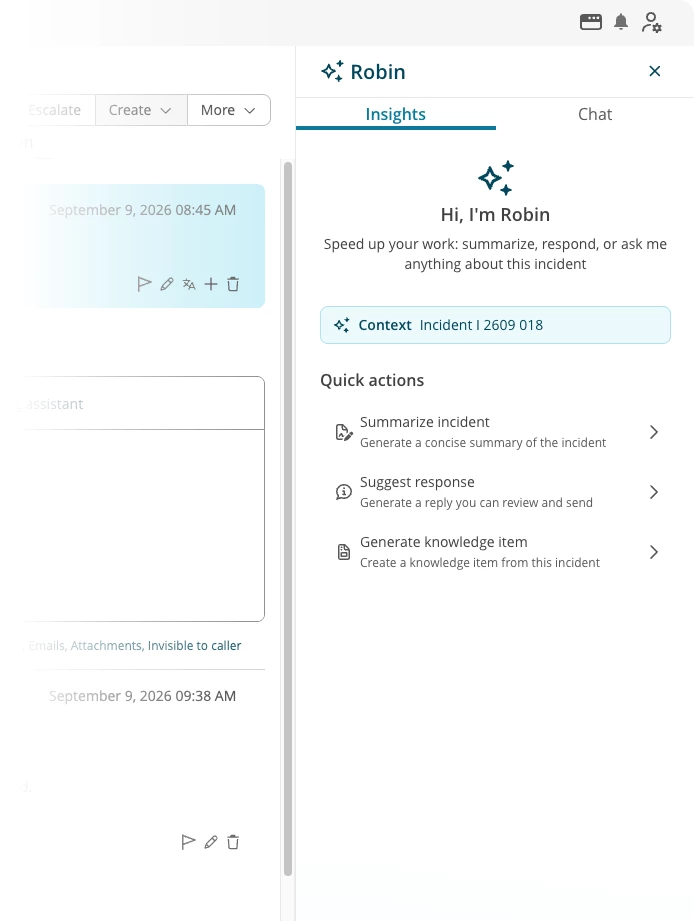
For end users, TOPdesk Robin answers questions in plain language right in the Self-Service Portal, sourced articles and the form to act on it included. For operators, TOPdesk Robin sits inside the incident card: summarising long threads, suggesting an answer, and turning the fix into a knowledge item so it isn't lost next time.
MCP — Excellent
Your team already asks CoPilot, Claude or ChatGPT for help throughout the day. MCP lets you connect those tools safely to TOPdesk: read-only (for now), and scoped to your own data. Ask a question, and get the answer straight from your own tickets and knowledge base.
Not sure where to start? We can help.
Getting your knowledge base ready for AI doesn't have to be a big-bang project. Our consultants can assess your current setup through the “Get Ready for AI” service, and help you improve it, whether you're starting from scratch or fine-tuning what's already there.
Want to see it in action?
Join our Product roadmap: What's new @ TOPdesk? webinar on October 20th to see everything in this launch, live, with time for your questions. You can sign up for the webinar here.
When will this be available in your environment?
Today is launch day: this post, the website and the product updates below go live so you can read the full story. The features themselves start rolling into environments from October.
Once a feature reaches your environment:
-
AI Triage, AI Categorization, TOPdesk Robin and MCP appear under Functional Settings > AI Settings, ready to switch on.
-
The UI refresh and the AI Readiness Dashboard need no setup. They simply appear.
Questions about availability or what's included in your plan? Reach your account manager, contact TOPdesk Support, or email productupdate@topdesk.com.