


AI Triage: spend the day fixing, not sorting
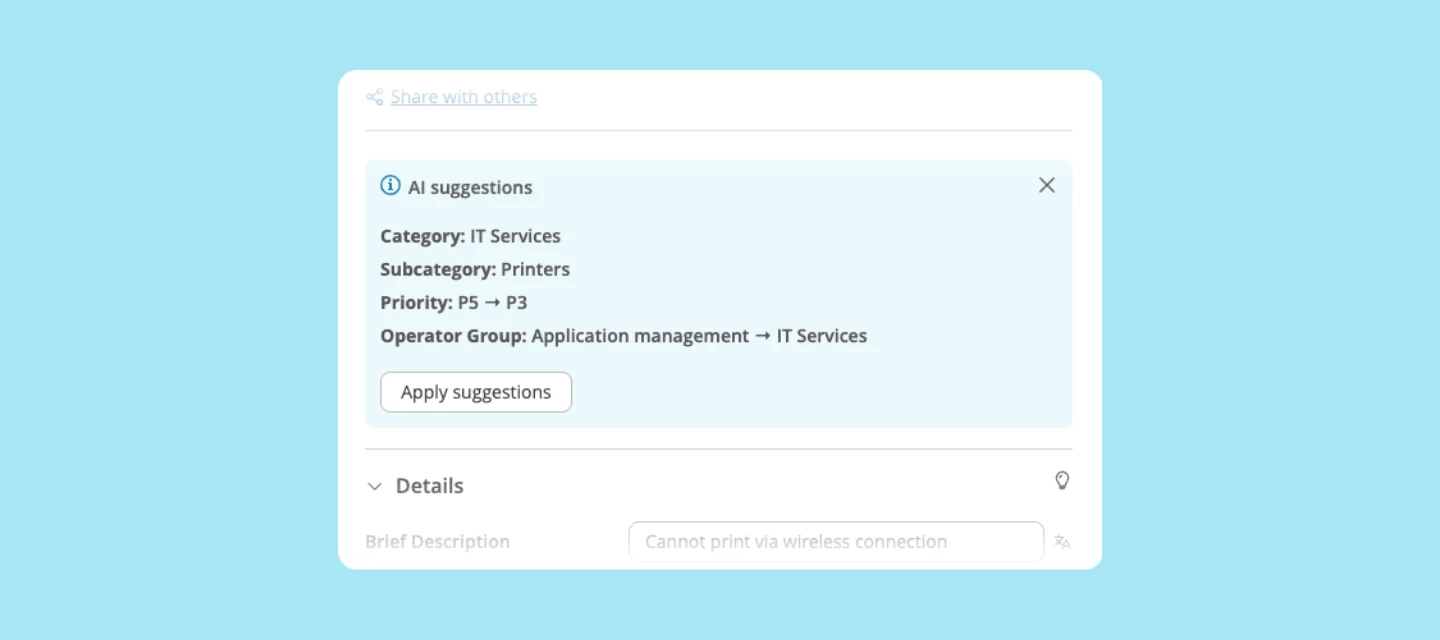
Sorting tickets by hand, then watching one bounce to another team because the category was a guess, is exactly the kind of task most service desks want off their plate. AI Triage takes care of it.
What AI Triage does
The moment you open a ticket, AI Triage suggests the category, priority, and operator group, based on how your team has handled similar tickets before. Pick what fits, hit save, and you're back to solving in about 30 seconds.
Why it matters
-
No more scrolling the same category list or guessing at priority, dozens of times a day
-
Fewer tickets bouncing between teams while the SLA clock keeps running
-
More consistent categorization across operators, so your reporting holds up
The more your team accepts or adjusts a suggestion, the sharper the next one gets. If you're a new customer, expect suggestions to be thinner at first, until enough tickets build up the history AI Triage learns from.
For Engaged customers: more accurate AI Categorization
You get more accurate AI Categorization, learned from how your team has handled similar tickets. Full AI Triage — category, priority, and operator group suggestions together — is part of the Excellent plan.
Who it's for
Any service desk that categorizes tickets by hand today. AI Triage is available on the Excellent plan; the AI Categorization accuracy improvement is available on Engaged.
How to get started
Both are available from October. You'll find them under Functional Settings > AI Settings, ready to switch on. More detail on our documentation portal.
What do you think?
How much of your day currently goes to sorting tickets rather than solving them? We'd like to know if AI Triage gets that time back for your team.