


The Unified Request Experience arrives in the Self-Service Portal
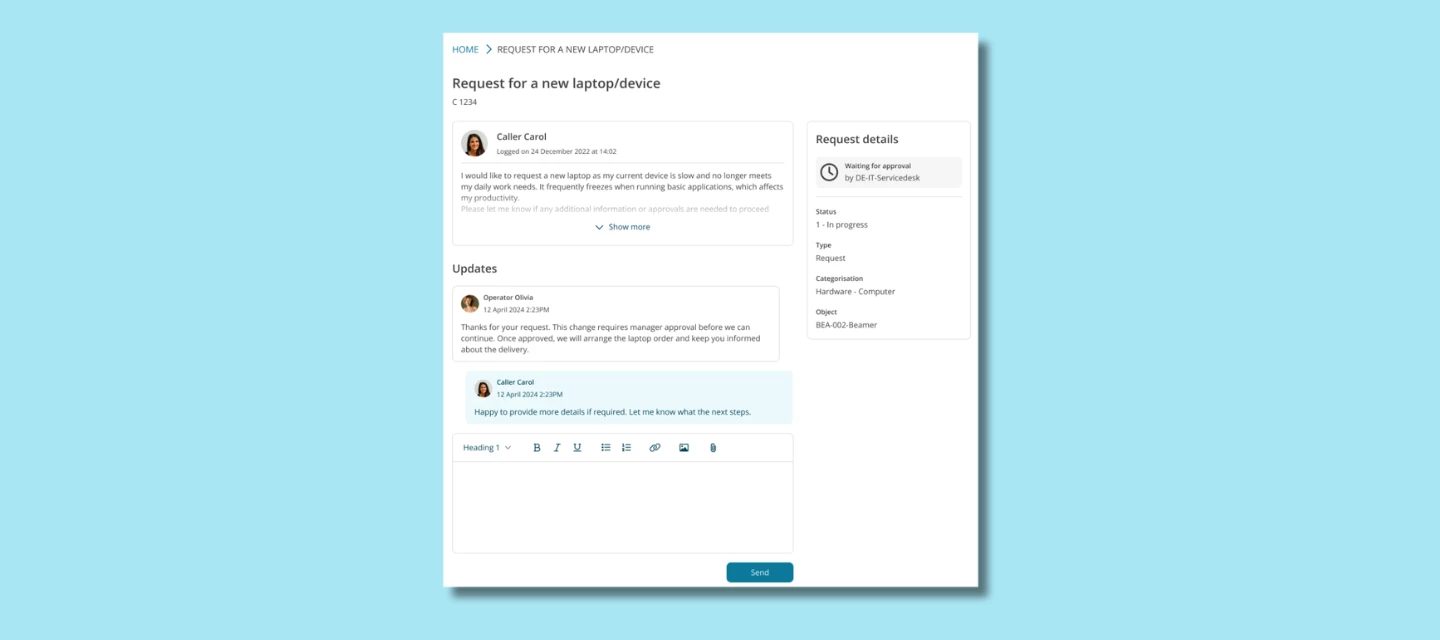
We’re excited to share an update that brings more clarity and consistency to the Self-Service Portal. The Unified Request Experience, our modern layout for Change and Incident request handling, is now available in the Self-Service Portal.
With this update, you can start offering a smoother and more intuitive request experience to your end users, even if your organization hasn’t switched to the new Self-Service Portal yet.
Why this matters
The Unified Request Experience was designed to reduce friction in the request process. Making it available in the classic Self-Service Portal helps your organization:
- Provide a more predictable user journey
End users no longer jump between different interface styles or logic.
They get one clear, consistent way to update and track their Change requests, reducing questions and helping them update requests with confidence.
- Help users better understand request progress
The updated request layout includes a cleaner status overview and improved due date logic, giving both employees and manager clearer insight into what’s happening and what to expect next.
- Support managers with a more intuitive approval flow
Approvals are more straightforward thanks to an improved manager view with all key details surfaced in one place.
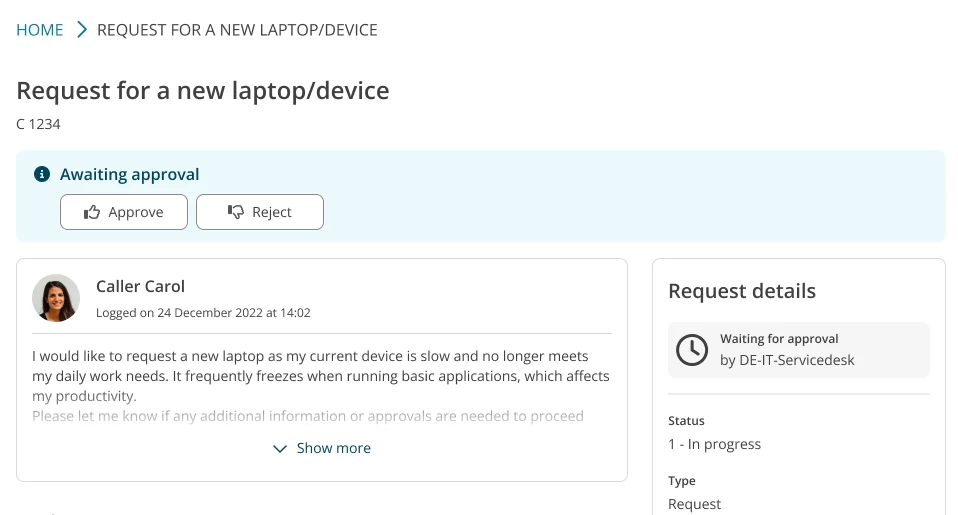
- Prepare for the new Self-Service Portal — without forcing a big switch
In the new Self-Service Portal (open beta), this unified layout is already the default.
By introducing it as an optional feature in the classic SSP, you can familiarize teams with the new experience gradually, at a pace that fits your organization.
Enable the Unified Request Experience
You can turn it on via:
Self-Service Portal → Settings → Change Management
Once activated, all relevant Change requests in the classic SSP automatically adopt the new layout.
Learn more
Want to dive deeper into what’s changing or how this fits within the broader SSP renewal?
👉 You’ll find all details here
We’d love your feedback
Bringing the Unified Request Experience to the classic SSP is an important step toward a more modern and intuitive requester journey. We’re eager to hear how this addition works in your organization and how it supports your transition toward the new SSP.
Tried it already or planning to enable it soon?
Share your experience in the comments! And if you have suggestions or ideas for future improvements, we’d love to hear them in TIP as well