


Meet the new Knowledge Base Explorer
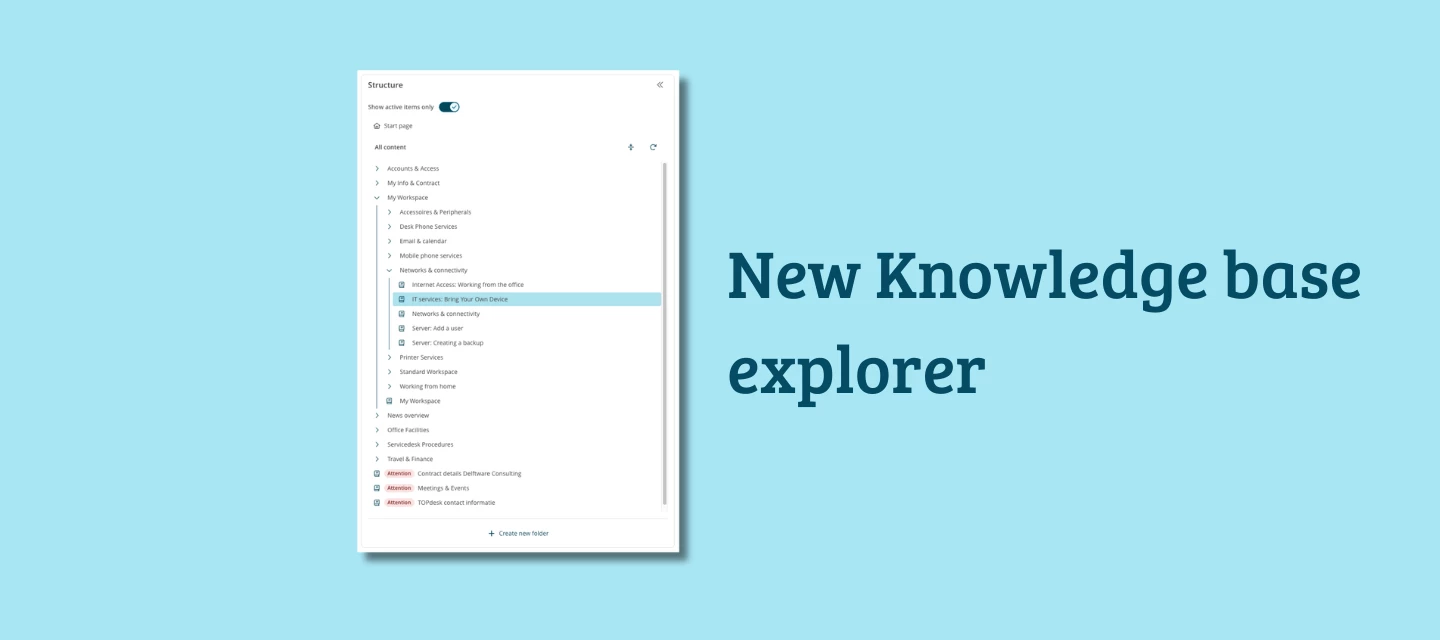
We're releasing a fully redesigned Knowledge Base Explorer.
Whether you're just getting started with knowledge management or you've been maintaining a knowledge base for years, the new Explorer makes it easier to find, organize, and keep your knowledge up to date. And if you're planning to use AI features, this is the foundation they run on.
What's new
Folders
The old workaround of creating empty "parent knowledge items" just to group articles is gone. The new Explorer gives you real folders: create one, add knowledge items beneath it, and set visibility at folder level. Everything inside a hidden folder is hidden in the Self-Service Portal too. Clean, simple, exactly what you'd expect.
Archive filter
Archived knowledge items can now be filtered out of your view. You see only active, current knowledge, no outdated articles mixed in with what's still relevant.
Easier to move items
Moving knowledge items and folders is now much more intuitive. A dedicated interface lets you search or select where to move a folder, including all its subfolders and knowledge items. No more cut-and-paste workarounds.
Clearer translation indicator
The marker that flags a knowledge item as needing translation is now much more visible. A small change, but a useful one for teams working across multiple languages.
Migration
Switching to the new Explorer requires a migration, the folder structure is a meaningful change from how knowledge items were grouped before. You can prepare and run it yourself using the built-in migration guide.
Three steps:
- Review what will change after migration
- Check for any blocking items
- Schedule and confirm the migration
During migration, the Explorer is temporarily unavailable, and knowledge items are read-only. Plan a quiet moment to run it.
More on the way
The new Explorer is the first step. We're actively working on more improvements: a search function within the Explorer, a language selection to browse knowledge items by language, and a more granular permission system at operator and person level. We'll share more details as these reach the roadmap.
Why this matters now
A well-structured knowledge base is no longer just a nice-to-have, it's the foundation for everything AI promises. AI Answer Assistant pulls its suggestions directly from your knowledge base. The better it is, the better the answers your team gets.
Not sure where to start? We're also launching the Knowledge Management Service, where our consultants help you structure your knowledge base and get it AI-ready.
How to get started
The new Knowledge Explorer is available in July for all customers. When released you can read how the migration works and how the structuring of the knowledge in the new explorer works on our documentation portal.
What do you think?
Have you been struggling to keep your knowledge base organized? We'd love to hear what you've been working around and whether the new Explorer gives you what you were missing. Questions about the migration? Drop them below as soon as you have them.