

[New SSP] Shared incidents do not appear in the Self-Service Portal search results
Hi TOPdesk Community,
I'd like to report an issue we've identified in the New Self-Service Portal (SSP) related to the search functionality for shared incidents.
🔍 Issue description
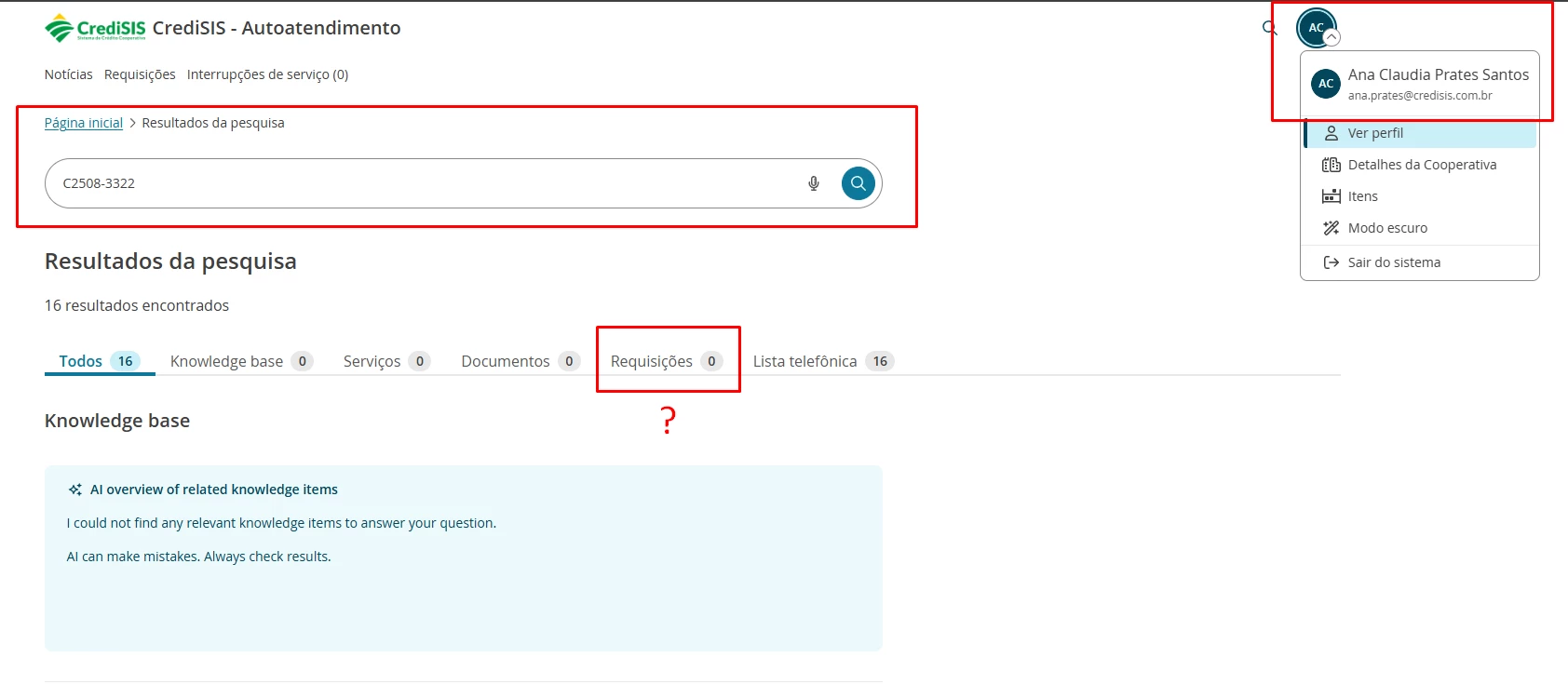
When an incident is shared with another user (via the "Shared with" feature on the incident card), the shared incident does correctly appear in the recipient's "My Requests" page (/services/app/ssp/requests).
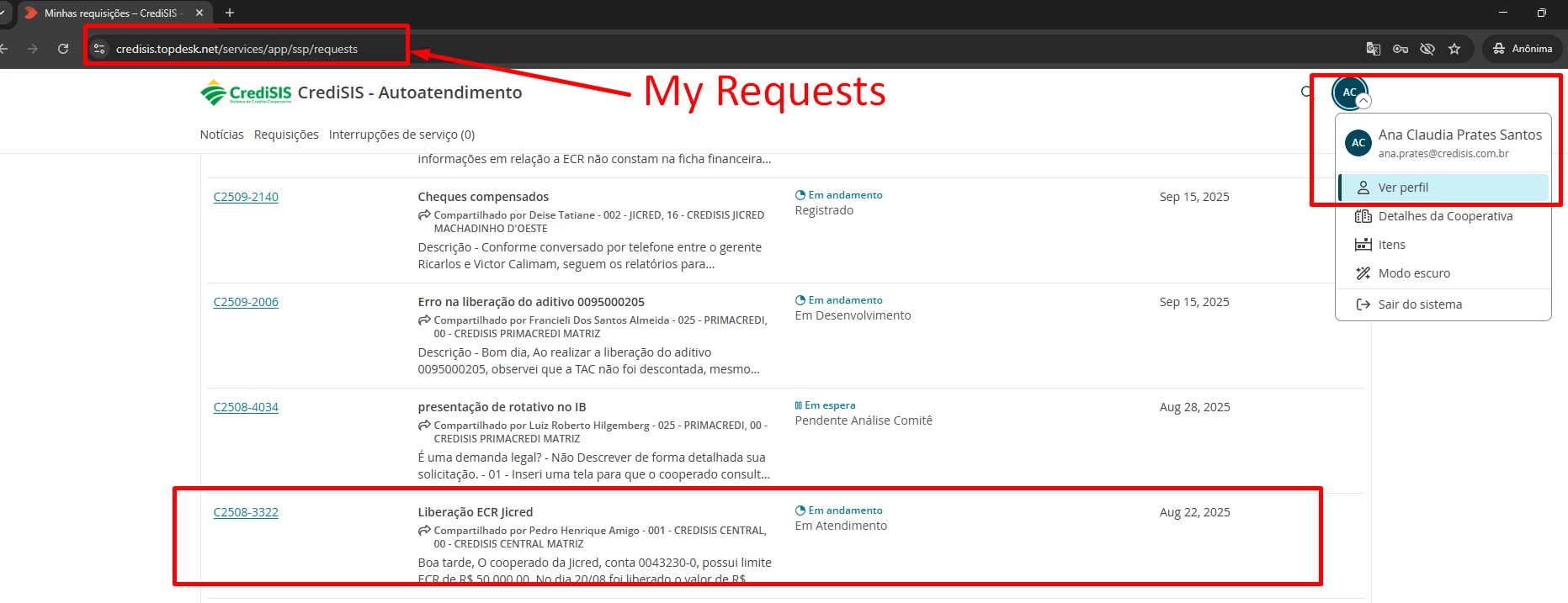
However, when the same user tries to search for that incident using the SSP search bar — for example, by typing the incident number (e.g., C2508-3322) — the incident does not appear under the "Requests" tab in the search results.
The search returns 0 results under Requests, even though the user has legitimate access to that incident through the share feature, and the same incident is visible in their "My Requests" list.
🧭 Steps to reproduce
- As Operator A, create or open an existing incident.
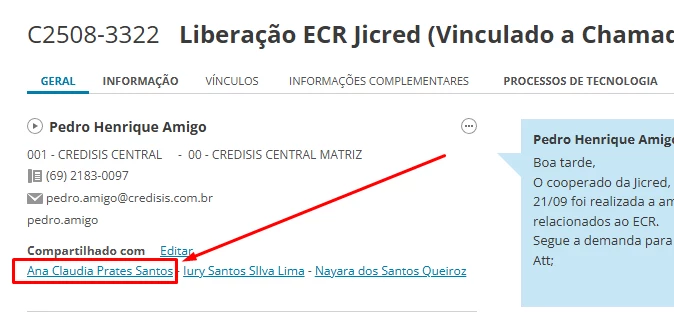
- Share the incident with End User B using the "Shared with" field on the incident card.
- Log in to the New SSP as End User B.
- Go to My Requests → confirm the shared incident is listed there. ✅
- Use the search bar in the SSP and type the incident number (or a keyword from the subject).
- Open the Requests tab on the search results page → the shared incident is NOT listed. ❌
📊 Expected behavior
The SSP search should return all incidents the user has access to, including:
- Incidents where the user is the caller.
- Incidents where the user is listed under "Shared with".
If a user can see an incident in "My Requests", they should also be able to find it via search. The two views should be consistent in terms of accessible data scope.
⚠️ Current behavior
The search appears to be filtering results based only on the caller field, ignoring the "Shared with" relationship. This creates an inconsistency between "My Requests" and the search index.
🖼️ Screenshots
1. Incident C2508-3322 shared with the user (Operator view — "Shared with" section): (screenshot 1 — incident card showing "Compartilhado com" / "Shared with" list including the user "Ana Claudia Prates Santos")
2. Incident visible in "My Requests" for the user it was shared with: (screenshot 2 — SSP "My Requests" page showing C2508-3322 listed with the "Shared by Pedro Henrique Amigo" indicator)
3. Same incident NOT returned in the SSP search: (screenshot 3 — SSP search results for C2508-3322 showing Requests 0 — no results under the Requests tab, despite 16 total matches in other categories)
🛠️ Environment
- Product: TOPdesk SaaS
- Module: New Self-Service Portal (SSP)
- URL pattern:
/services/app/ssp/requestsand/services/app/ssp/search - Tested on: Chrome (anonymous/incognito session, to rule out cache).
❓ Questions for the community / TOPdesk
- Has anyone else experienced this behavior in the New SSP?
- Is this a known limitation of the new search engine in the SSP, or should it be reported as a bug via support?
- Is there any configuration / permission setting that controls whether shared incidents are indexed for the SSP search?
- Is there an ETA for aligning the search scope with "My Requests" scope?
Best regards,
Otavio Augusto — TOPdesk Specialist @ Brazil