

Sanne van Opstal-Brakel
Employee
September 28, 2026
Sticky

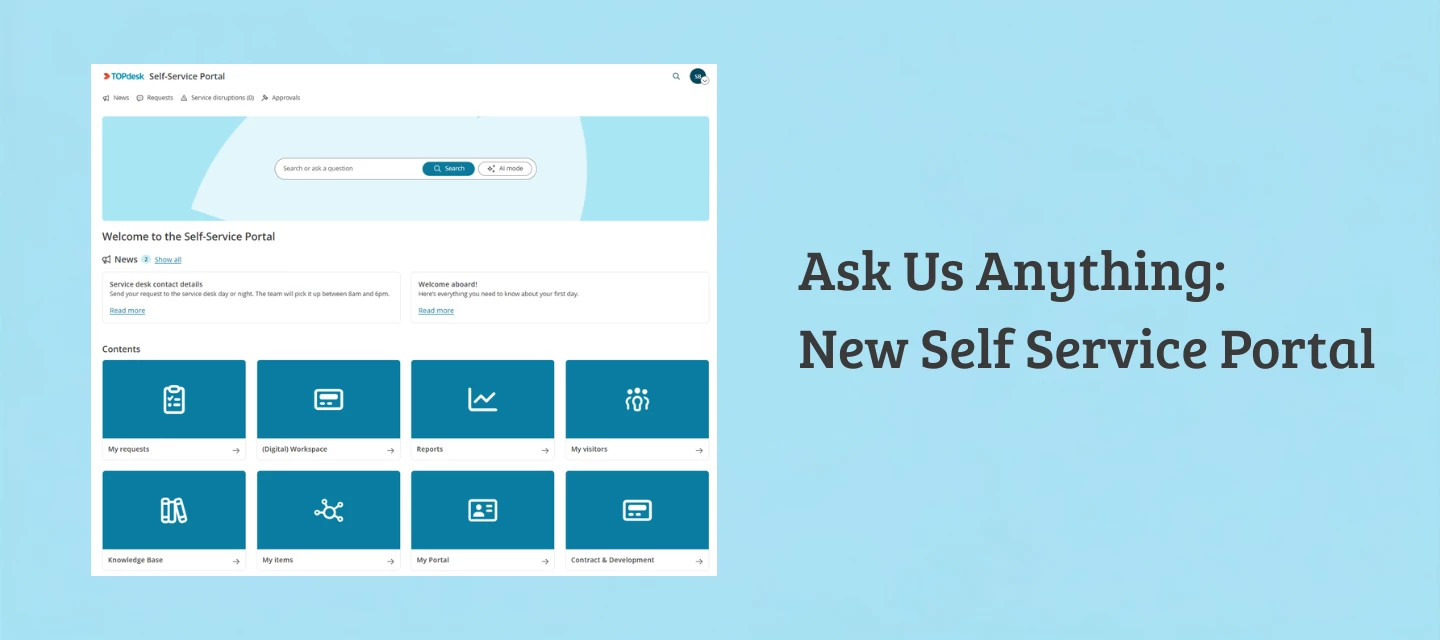
Ask Us Anything: the new Self Service Portal
  • September 28, 2026
  • 19 replies
  • 183 views
Ask Us Anything New Self Service Portal

Got a question about the new Self Service Portal you haven't asked yet? This is your week. From today through Friday 2 October, we're answering all your questions about the new SSP right here in this thread. No livestream, no fixed time slot, we'll check in throughout the week and reply as we go.

Already dropped a question in last week's announcement? Bring it over here and we'll pick it up.

What do you want to know about the new Self Service Portal? Ask away below.

19 replies

New Member ⭐⭐
September 28, 2026

When will it be possible to integrate a third-party chatbot, such as Ebbot, with the new solution? We use this today and therefore see challenges in adopting the new design before this functionality is in place.

Simon Rupp
Employee
Employee
September 28, 2026

We don't have an exact release window yet, but the corresponding TIP Roadmap item already exists, is open for voting, and we plan to tackle it. As a rough estimate, I'd say late Q4 or early Q1 '27 though this is just a preliminary timeframe.

New Member ⭐⭐⭐
September 28, 2026

Hallo,

ist es zwingend erforderlich, auf das neue Design zu wechseln?

Wir sind eigentlich zufrieden mit unserem aktuellen SSP.

Liebe Grüße aus dem Norden!

Simon Rupp
Employee
Employee
September 28, 2026

Currently, there is no obligation to switch to the new SSP, but almost all future updates related to the SSP will only be available in the new SSP (such as TOPdesk Robin for end users), and at some point, the old SSP will be discontinued. Although there is no specific timeline for this at this time; once the time comes, we will announce it in advance with sufficient lead time ofc.

Magne B.
Explorer ⭐⭐
September 28, 2026

I appreciate the need for a standardized layout of the SSF, but a little bit of flexibility would be great! One thing we would really appreciate is a possibility to include a little bit more of text than the current one line below the search field, e.g. in the form of a footer. Also with the possibility to have links in the text. We feel for instance that the link to the accessibility statement could be better accomodated in a footer text than as a separate tile. Any hope of getting this?


Simon Rupp
Employee
Employee
September 28, 2026

With the introduction of a new SSP Configurator/Designer - which will exclusively affect the new SSP -we’ll also have more opportunities to address such product improvements and needs. I’d therefore appreciate it if you could submit both of these improvement ideas via TIP and also let us know what kind of search instructions your users need or what challenges your SSP users are currently facing when searching for something in the new SSP.

New Member ⭐
September 28, 2026

Hi,
Our new portal is connecting and working down to the Services level, but if we try to go to any form we get an error, see image below.
Is there something we’re missing or doing wrong?
We havent enabled anything, or touched anything, I’ve just tried the new link https://mycompany.topdesk.net/services/app/ssp/home and I expected it to work with our current forms like the preview did.  We get the same result in Live and Test enviroments.

The portal is working normally using the original url.
Thank you


Simon Rupp
Employee
Employee
September 28, 2026

If this is the case, it's best to contact our support team directly. They'll make sure the setup is thoroughly checked to identify the cause.

New Member ⭐
September 28, 2026

Are there any plans to add a multiselect on drop-down lists for new portal forms?
thank you.

Simon Rupp
Employee
Employee
September 28, 2026

There are no specific plans for expansion in this direction yet, since the new SSP (and its look-and-feel settings) are currently independent of the form functionalities and the form designer. However, with the introduction of TOPdesk Robin for end users, we also want to rethink how the process of submitting new requests or incidents should feel for them.

We would therefore appreciate it if you could let us know via TIP when (for which kind of workflows and processes) and for what type of data collection you wish for further support for your SSP users.

New Member ⭐
September 29, 2026

Is is possible for the heading 'Further actions' on the right hand side above form links be customisable, in the service/sub pages?
ie allow us to rename it, and allow us have multiple instances so we can have one set of links, and another set with forms allowing a set logical groups, or even allow us to remove this header completely?

Simon Rupp
Employee
Employee
September 29, 2026

This isn't possible at the moment. But it's something we'd like to look into in the future. So please feel free to submit a TIP request regarding this. And also let us know how important this is to your SSP users right now, so we can factor it into our schedule.

New Member ⭐
September 29, 2026

With the new SSP ability for end users to return to unfinished/partially filled in forms, how long does this stored data last, and it where is it stored? ie, is it device specific (it doesn't move devices) or can it be picked again if the customer resumes the request on a differant device? 

Simon Rupp
Employee
Employee
September 29, 2026

It's device- / browser-specific. So the draft data is saved in your browser, not on a server, so it won't follow you to another device. And it lasts until you submit the form, log out, or close the tab.

Therefore, it is not possible to pick up or complete the form on other devices.

New Member ⭐⭐⭐
September 29, 2026

Our end users keep asking how to save the Knowledge items they use most. I don't see a way for them to favorite or bookmark anything from the SSP home page. Is anyone doing this today?

If TOPdesk has a native option, where do you set it up?

If not, what workaround are you using?

I'm open to anything, including portal layout changes or curated links on the home page. Our end users are finding the SSP hard to adopt due to this missing feature.

Any recommendations would be helpful. Thank you!

Simon Rupp
Employee
Employee
September 30, 2026

There is no built-in option within the SSP to bookmark pages. However, since all URLs in the SSP are always unique, the best practice I'm aware of is for users to simply create browser bookmarks for the respective knowledge items or service pages. 

But of course, I'm also curious to hear from other customers here about the best practices they've observed among their users or that they share with them. 

New Member ⭐⭐
September 30, 2026

In the new SSP design, the search function for tickets and changes in the search bar is not working.
It still works in the previous version.
I consider this a matter of great importance, as users frequently type a ticket or change ID into the search bar, and in the previous version, TOPdesk would display the specific item they were looking for directly.

Now, it displays a long list, and users have to search through it to find what they need—or sometimes, no options are displayed at all.

Simon Rupp
Employee
Employee
September 30, 2026

We are already working specifically on this feature,
which will allow us to offer users the option to open the corresponding page directly when they enter a unique identifier, such as an incident number or knowledge item number.
Given that accessibility and the transparency of the behavior were important to us in this regard, we wanted to first refine how this functionality works before adopting the behavior from the old SSP 1-to-1.

I expect this feature to be released in the coming weeks.

New Member ⭐
September 30, 2026

Hello, 
Is there a way to get suggestions from the knowledge base or forms as you type in the search bar, without having to press Enter?
thanks, Martina