


Smarter, Faster Categorization with AI
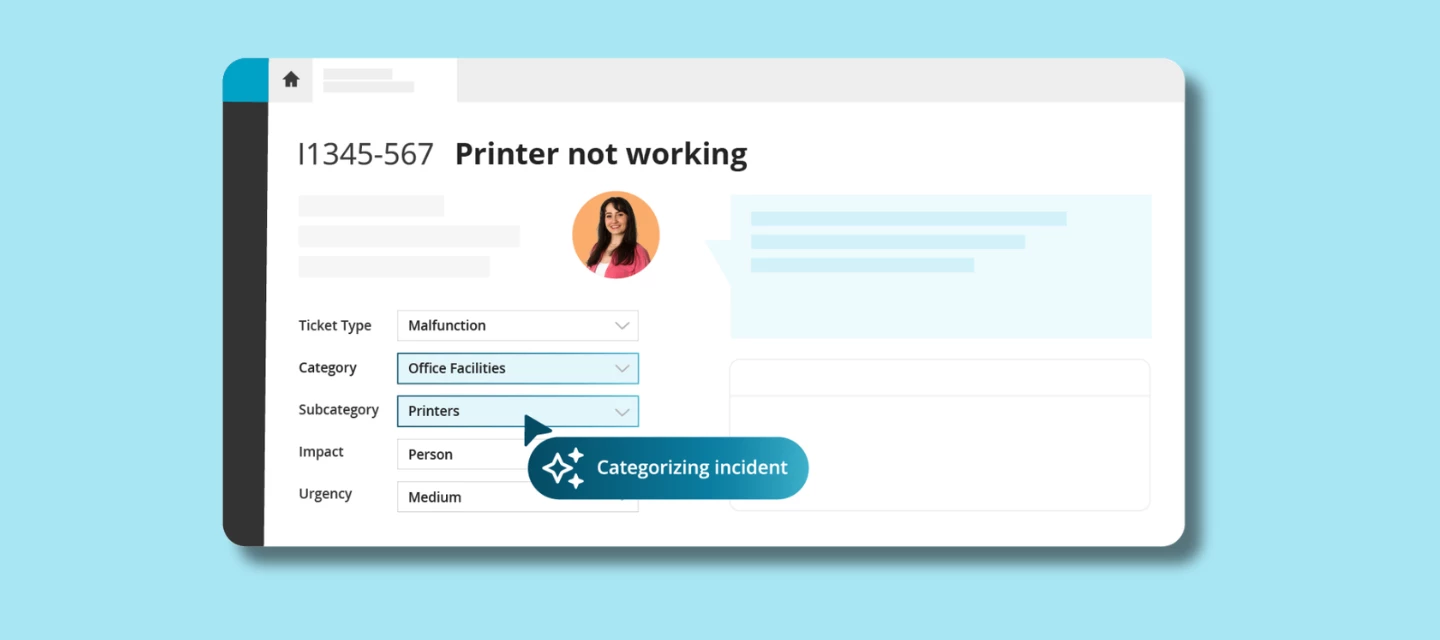
Creating a new ticket should be straightforward. But in practice, categorization often slows things down. Large category trees, similar subcategories, and small differences that are easy to miss, especially when things get busy. One wrong choice, and a ticket ends up bouncing between teams before it reaches the right place.
That’s exactly where AI Categorization helps.
When a new ticket is created, TOPdesk AI analyzes the text and suggests the most relevant category, subcategory, and priority based entirely on your organization’s historical data. No guessing, no scrolling through long lists. You simply review the suggestion and decide: accept it as is, or make an adjustment if needed.
The result? Tickets are routed more consistently and reach the right team faster, right from the start.
Staying in control, without the extra work
AI Categorization is designed to support your way of working not replace it. The AI does the heavy lifting in the background, while you stay in charge of the final decision.
This makes it easier to work quickly and confidently, even during busy moments. Less admin, fewer routing mistakes, and a smoother flow from intake to resolution.
Why this helps your team
-
No more scrolling through long category trees
-
More consistent routing, so tickets hit the right desk the first time
-
Faster handling, which means quicker resolutions
-
You stay in charge AI suggests, you decide
And the best part? You don’t need a major setup or new tools. It’s built right into TOPdesk, designed to help from day one.
Part of TOPdesk’s AI philosophy
We build AI that supports you not the other way around. That means:
-
Easy to adopt, no big overhaul needed
-
Your data stays protected and isn’t used to train external models
-
Full transparency and control over what AI does
AI takes care of the hassle, so your team can focus on the meaningful work.
How to enable this feature
Availability: This feature is available for customers on the Engaged package.
If you want to get started with Incident Categorization, you can find everything you need in our documentation. Take a look at the activation guide here:
👉 https://docs.topdesk.com/en/ai-features.html
It only takes a few minutes to set up, and you’ll be ready to let AI take over the categorization work in no time.
What do you think?
Have you already tried AI Incident Categorization? Did it speed things up, surprise you, or spark ideas for what you'd love to see next?
Drop your thoughts, experiences, or questions in the comments. We’d love to hear how it’s working for you.