

New: Outlook Reservations Sync
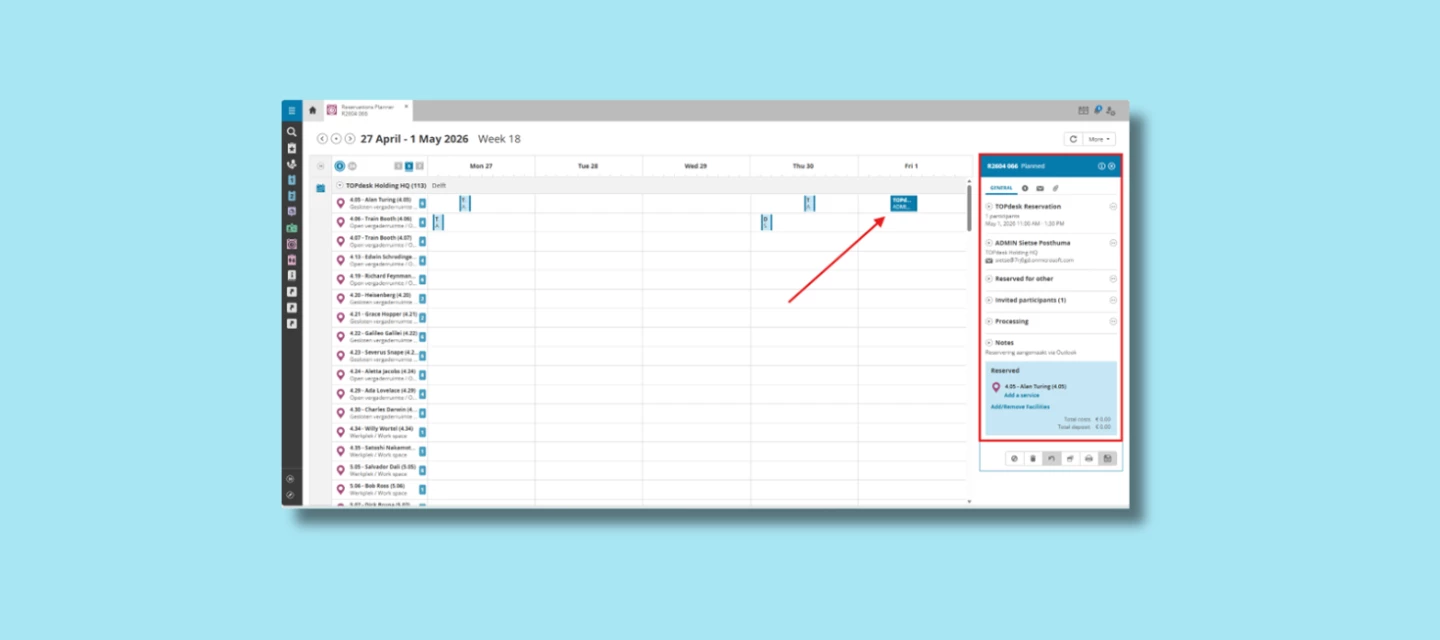
You book a meeting room in Outlook. Meanwhile, a colleague reserves the same room in TOPdesk. Everything looks fine, until you’re both standing at the door. Double bookings like this are a classic frustration when reservations live in separate systems. Outlook Reservations Sync prevents exactly that by keeping TOPdesk and Outlook automatically aligned.
One reservation flow, across TOPdesk and Outlook
Whatever you do in Outlook shows up in TOPdesk—and the other way around. Create a reservation, change the time, add or switch a room: it all syncs automatically, both ways. No manual updates, no surprises, and no situation where one system knows something the other doesn’t.
The idea behind this update is simple:
plan once, stay aligned everywhere.
What does the Outlook Reservations Sync do?
- Reservations are automatically synced between TOPdesk and Outlook
- Changes work both ways
- Rooms and internal participants are included automatically
- External participants are created as visitors in TOPdesk
- Microsoft Teams links remain linked to the reservation
How it works in practice
Creating a reservation in TOPdesk
- Create a reservation in TOPdesk
- Select who the meeting should appear in the calendar for and which room is used
- Optionally add a Teams link or visitor
→ The reservation automatically appears in Outlook, including the room, participants and Teams link
Creating a reservation in Outlook
- Create a new appointment in Outlook with a room and participants
→ The reservation is automatically created in TOPdesk - Add an external participant?
→ They are automatically registered as a visitor in TOPdesk
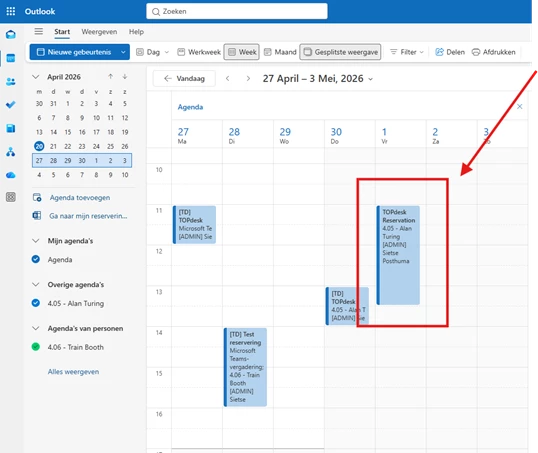
Updating a reservation in Outlook
- Change an existing reservation in Outlook (for example, the time)
→ The update is automatically synced back to TOPdesk
In short: what you do in TOPdesk is visible in Outlook and vice versa.
Working with services
Some reservations require more than just a room and attendees, for example catering, equipment or on-site support.
These services can only be added from TOPdesk.
That’s because TOPdesk is where service management and coordination come together.
- Add services directly to a reservation in TOPdesk
- The reservation itself stays synced with Outlook
- Services are managed and tracked within TOPdesk, exactly where they belong
This keeps Outlook focused on planning, while TOPdesk remains the central place for everything around the reservation.
Availability and requirements
We want to be open and clear about this:
- Outlook Reservations Sync is a paid add-on
- Reservations Management is required for the synchronization to work
This ensures the sync fits neatly into your existing reservation and service processes in TOPdesk.
What’s the benefit?
- Less manual work
- Fewer errors or double bookings
- One reliable overview of rooms and reservations
- Clear separation between planning (Outlook) and service management (TOPdesk)
Want to get started?
Interested in using this add-on, or want to check whether it fits your setup? Reach out to your TOPdesk account manager or leave a comment here or start a discussion in the Community. We’re happy to think along with you.