


Microsoft Teams integration for TOPdesk
Updated: 27 July2026
Microsoft Teams has become a central place for collaboration in many organizations. For many operators, it's also where a large share of incoming questions and requests are received through chats, group conversations, or channels.
While this makes communication fast and accessible, it also introduces a challenge. Turning those informal messages into properly registered incidents in TOPdesk — or keeping existing calls up to date with new information from Teams conversations — often still requires switching between tools, copying information, and manually rebuilding context.
To support this way of working, the Microsoft Teams integration for TOPdesk is now available for all customers.
From conversation to structured incident
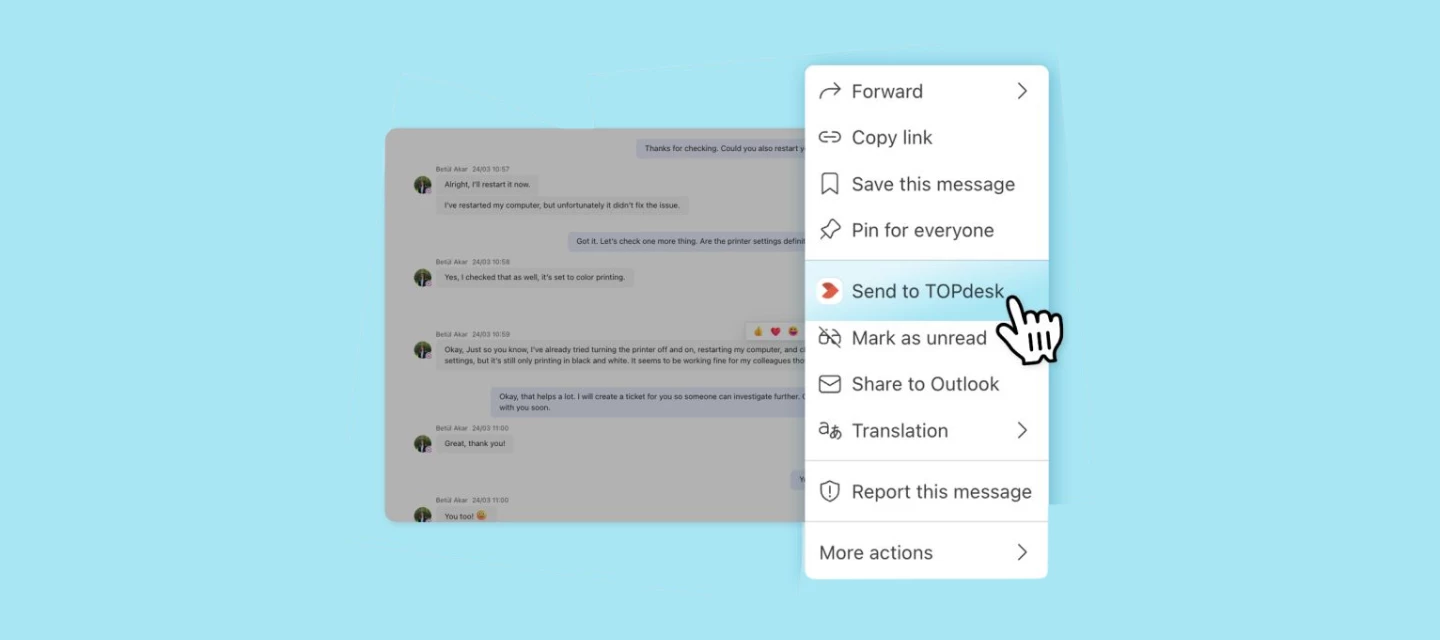
With the Microsoft Teams integration, you can create a TOPdesk incident directly from a Teams conversation without leaving the Teams environment. This ensures that informal chat messages are converted into structured incidents that can be properly tracked and managed in TOPdesk.
Add Teams messages to existing calls
In addition to creating new incidents, you can now also add Teams messages to an existing, open TOPdesk call. This means that follow-up information shared in Teams — such as updates from a colleague or additional context from a customer — can be added directly to the right call without switching tools or copy-pasting.
What this enables
The Microsoft Teams integration allows you to:
- Create incidents directly from Microsoft Teams
Turn a chat message into a TOPdesk incident in just a few steps, without switching between tools. - Add messages to existing open calls
Select a Teams message and add it to an existing TOPdesk call, keeping all relevant context in one place. - Work without leaving Teams
Register and update incidents from the place where the conversation already happens, reducing context switching in your daily work. - Preserve conversation context
Relevant messages are included in the incident, helping operators understand the request from the start. - Include attachments from Teams
Files shared in the conversation can be added to the incident, so all supporting information is available in one place. - Link back to TOPdesk from Teams
Once created, the incident is available via a direct link, making it easy to continue working on it in TOPdesk. - Reduce manual work and improve data quality
By avoiding copy-paste actions, you save time and ensure incident information is complete and consistent.
Together, this leads to a more efficient workflow and better structured data within TOPdesk.
Getting started
The Microsoft Teams integration is now available for all TOPdesk customers.
To start using the integration, you'll need to install the TOPdesk application within Microsoft Teams and connect it to your TOPdesk environment. You can connect using an application token, or via OAuth, which lets an application manager set up the connection once, centrally, for all operators. See the documentation for setup instructions.
Once installed, you can create incidents directly from your Teams conversations, or add messages to existing open calls.
Want to see how it works in practice? In this video, we guide you through both the setup and usage step by step.
For more detailed information about requirements, installation, and usage, you can also refer to the documentation.
Bringing collaboration and service management closer together
By integrating Microsoft Teams with TOPdesk, you can act directly on requests where they are discussed, without recreating information elsewhere. Whether you're logging a new incident or updating an existing call, everything stays connected.
This helps your team work more consistently, respond faster, and keep a complete overview of incoming requests.
If you’ve started using the Microsoft Teams integration, we’d love to hear your experience. How does this integration fit into your current workflow? And where has it helped you save time or improve collaboration?