


New on MyTOPdesk: Robin out AI-powered chatbot 🤖
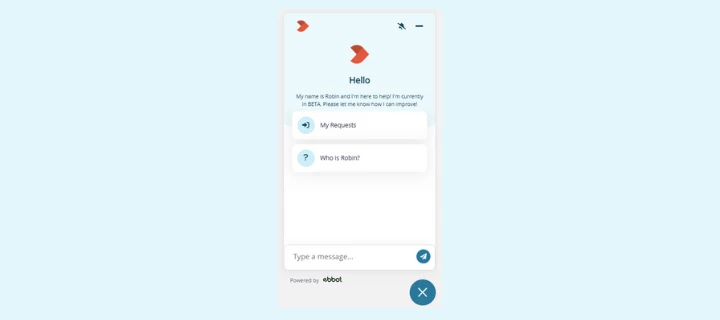
Good news! A new AI‑powered chatbot, Robin, is now available on my.topdesk.com. Over the past months, we’ve been working hard on this feature together with our gold partner Ebbot, and we’re excited to announce that Robin is officially live.
Robin has been tested extensively by both TOPdesk teams and a group of customers. The feedback has been very positive, and we’re confident Robin will make it even easier for you to quickly find the information you need.
What Robin can help you with
Robin supports you by:
-
Answering your questions based on trusted, predefined TOPdesk sources
-
Suggesting to create a support ticket when it can’t find the right answer
-
Responding in multiple languages, depending on your preference
Where Robin gets its information
Robin searches across several official TOPdesk resources, including:
-
My TOPdesk knowledge base
-
TOPdesk Docs
-
TOPdesk Marketplace
-
TOPdesk SaaS information page
-
Release Notes
Robin only uses these controlled sources and does not browse the open internet. If Robin can’t find a reliable answer, it will let you know — no guessing.
When Robin can’t help
If Robin can’t answer your question, it will offer to create a support ticket for you. With your approval, it submits the ticket directly to your local TOPdesk support department.
How Robin handles your data
Conversations with Robin follow TOPdesk’s privacy and data protection guidelines.
Robin does not automatically learn from individual chats.
Feedback (👍 / 👎) is reviewed manually by TOPdesk to improve both Robin and the information sources it uses.
Want this in your own TOPdesk environment?
Yes, that’s possible!
Customers can implement an AI chatbot for their own users, configured to work with their own knowledge sources such as internal documentation or self‑service content. If you're interested, reach out to your TOPdesk contact to explore the options.
Start using Robin today
-
Available immediately — no setup required
-
Accessible via the chatbot button in the lower‑right corner of my.topdesk.com
-
Free for all customers
Try it out and help us improve by using the built‑in feedback buttons.
🔎 More details? See knowledge item KI18951 on my.topdesk.com.