

Automatically populate caller details from body of email
We use Microsoft 365 to scan emails for spam, viruses, etc. Users get a notification from Microsoft if there are mails held in quarantine for them, and they can press a button to request the email is released. This sends an email to our Helpdesk mailbox and raises a ticket, but all these emails come from office365alerts@microsoft.com and not from the individual user. This is how we set TOPdesk to populate the caller details, based on text within the body of the message:
- We created a new email mailbox called quarantine@<domain name> and updated the Microsoft portal to send release requests to this address
- We created a new category of “Automated” and sub-category of “Quarantine”
- We created a new email connector to pull emails from the Quarantine mailbox and automatically assign these emails to the Automated/Quarantine category
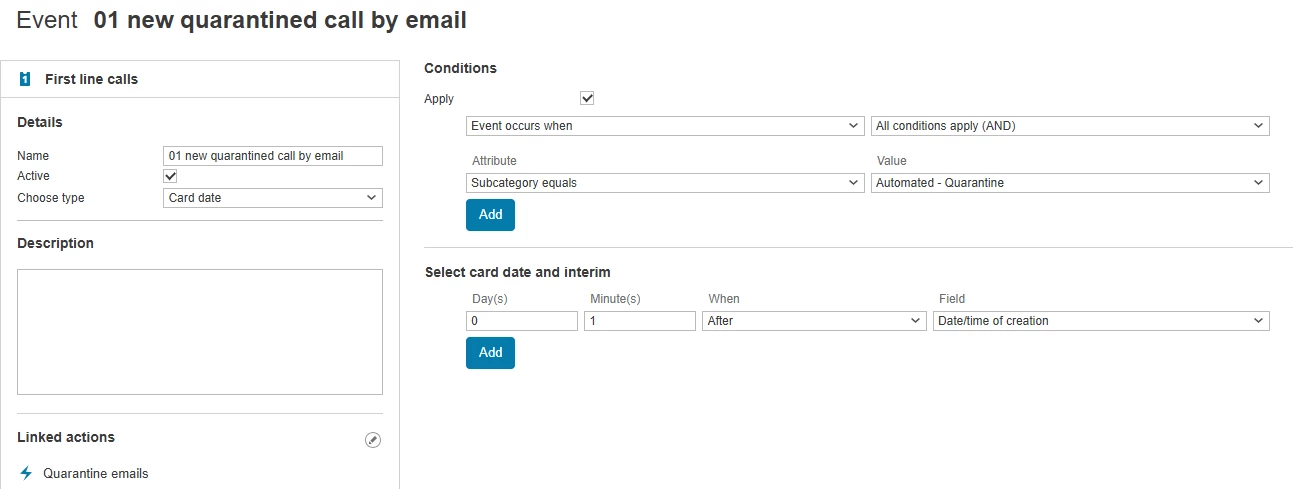
- We created a new Action Event to be triggered when a new call is created with this category:
- We created a new Automated Action, triggered by the above event
- This action extracts the caller’s email address from the body of the message, on the basis the message follows a fixed format and always contains:
-
User: someone@<domain>
Details: One or more users…
-
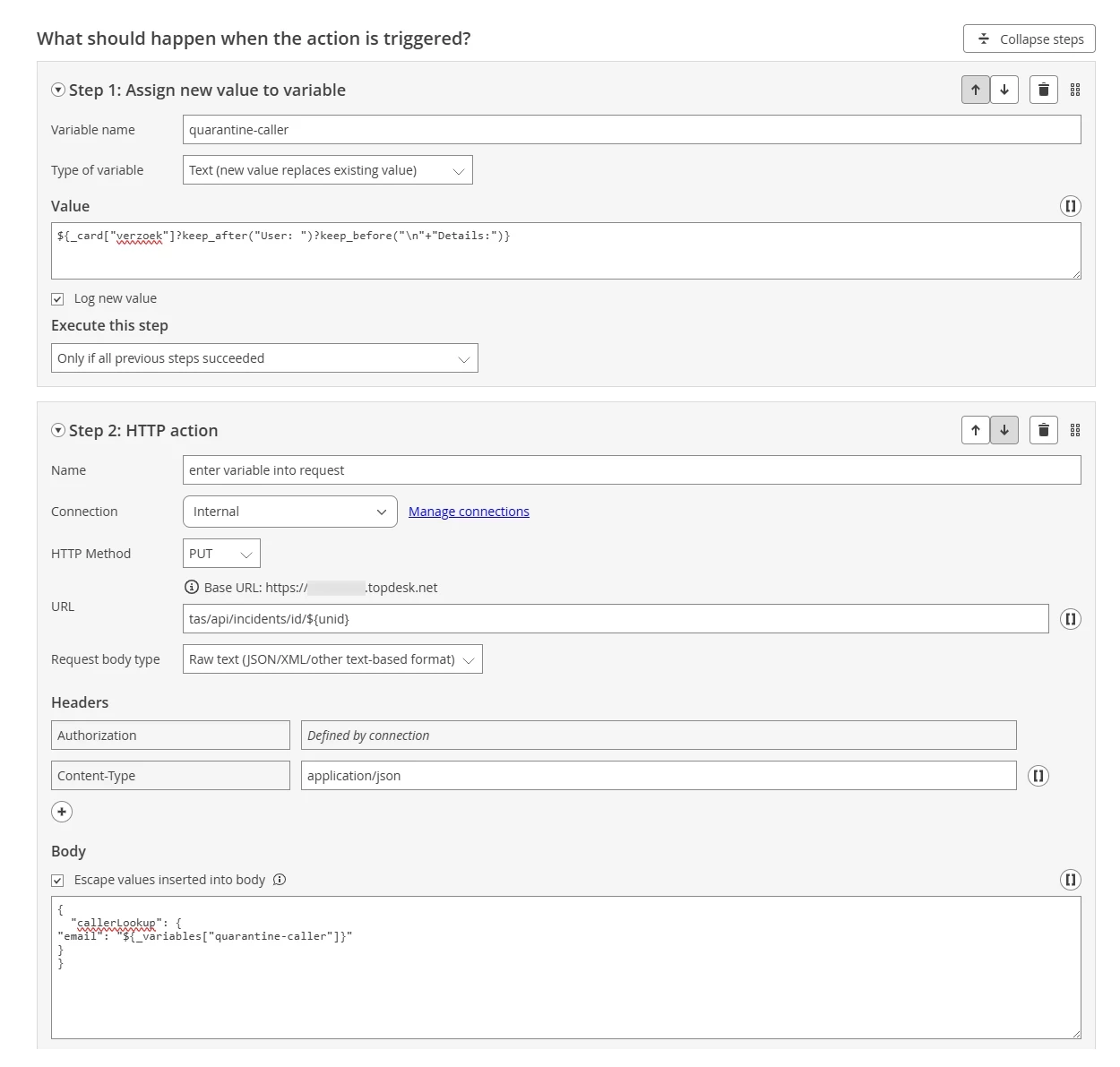
- The Action has two steps. First, it creates a variable called "quarantine-email" using the following syntax:
${_card["verzoek"]?keep_after("User: ")?keep_before("\n"+"Details:")}
This syntax queries the "Request" field of the call (ie the body of the message) and keeps text between "User:" and "Details:"
-
Second, it assigns the value of this variable to the caller's email, using the following syntax:
{
"callerLookup": {
"email": "${_variables["quarantine-caller"]}"
}
}
Then, provided the user’s email matches the email address of an existing Person card, the caller portion of the request is updated.