

Sanne van Opstal-Brakel
Employee
Employee
August 24, 2026

Ask Us Anything: Knowledge Management, with Stefan and Camilo
  • August 24, 2026
  • 20 replies
  • 124 views

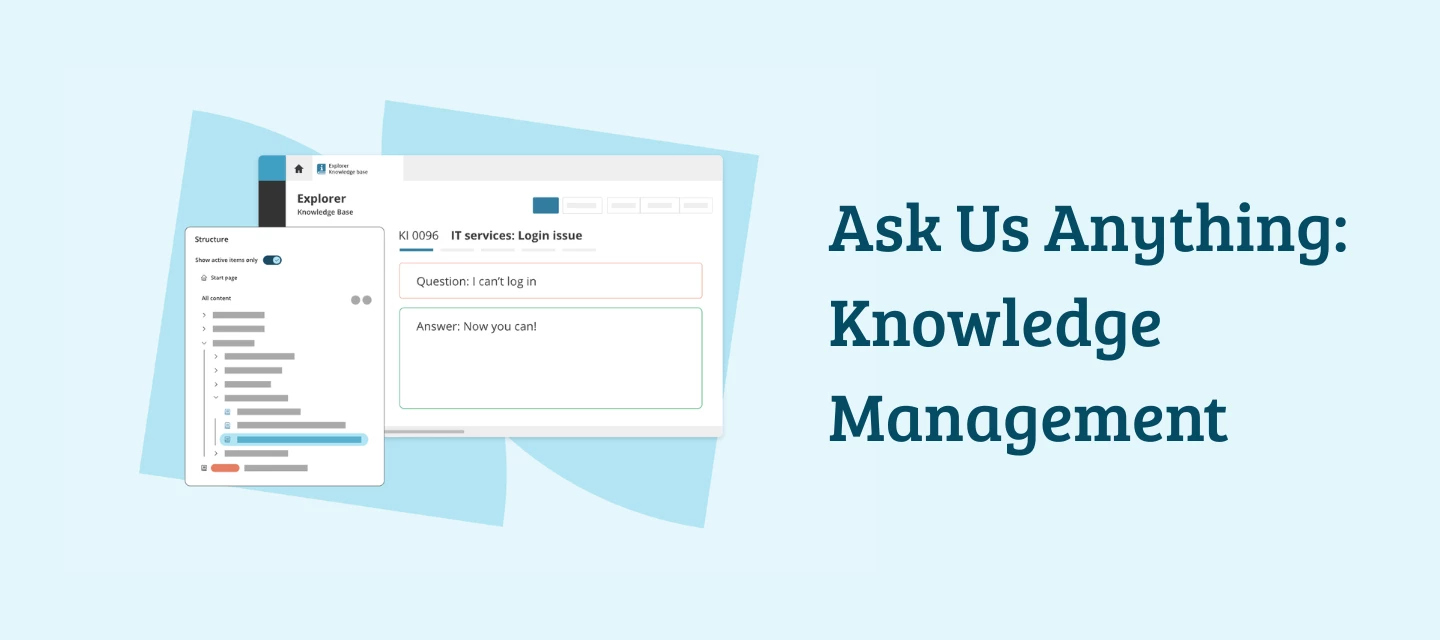
Ever had a knowledge management question you never got round to asking? This is your moment. ​@Stefan van Opstal  (product manager, Knowledge Management) and ​@Camilo.T  (senior consultant and KCS-expert) are spending five days in this thread to answer them all. No livestream, no fixed time slot — just ask, and get an answer from the people who actually know.

To kick things off, a few questions that kept coming up:

  • What does migrating to the new Knowledge Base Explorer actually involve — do we need to clean up our old "empty article" folder structure first?
  • How do you decide which knowledge items are outdated and should be archived, instead of letting them sit there?
  • How do you get your team to consistently check the knowledge base before logging an incident (Shift Left in practice)?

So… what have you always wanted to know about knowledge management? Ask below, the more specific (or oddly niche) the better.

This topic has been closed for replies.

20 replies

Sanne van Opstal-Brakel
Employee
Employee
August 24, 2026

@NickB  asked the following questions in the announcement post:


q1. In an agentic world, how do TOPdesk plan to tackle writing for Ai vs writing for humans which Ai can use as these are very different things?

q2. What makes a solid, reliable, consistent knowledge base article in terms of structure that can be used as an exemplar / standard?

q3. Can Ai assist in creation of keywords to create meta data to surface the knowledge as an FAQ more effectively?

q4. If a picture can paint a thousand words how about many frames of a video? when can we start to see embedded video in knowledge articles?

q5. Knowledge 'Managed vs knowledge 'created' of the back of a process - what makes the difference?

Sanne van Opstal-Brakel, your TOPdesk Community Fairy Godmother
Stefan van Opstal
Employee
Employee
August 25, 2026

Hi ​@NickB,

Thank you for these questions, we are starting of strong 💪

The answer fro Q1

There's no mandatory format from TOPdesk right now, but based on how our own AI features actually use knowledge items, and on how AI-driven knowledge bases perform best across the wider industry, we can give some grounded advice.

Why this matters

The AI Answer assistant, which suggests a draft answer to operators based on a knowledge item, matches on semantic similarity between the ticket and the KI content, then quotes directly from that KI. If there's no good match, the system deliberately shows nothing rather than making something up. So the quality and structure of your knowledge items directly determines how well this and other AI features work for you.

The more cleanly your content is broken into manageable, self-contained pieces, the more reliable the AI output. A knowledge base that reads pleasantly for humans often contains exactly the kind of noise that confuses an AI.

What we'd currently recommend

  1. One knowledge item per problem or topic, not catch-all articles. Smaller, unambiguous pieces are easier to retrieve than large documents mixing multiple topics.
  2. Write and title in the end user's language and phrasing, not just internal terminology. AI matches best when the structure of your knowledge item resembles how someone would actually ask the question, for example Q&A format rather than flowing prose.
  3. A complete, self-contained solution in the text itself, not just a reference to an attachment or external document. AI can only quote what's actually in the knowledge item.
  4. Clearly distinct, separate solution steps instead of dense paragraphs. Short and concrete works better than long and narrative.
  5. Regular maintenance. Keep knowledge items current so outdated information doesn't get shared with the end user.

So this is direction, not a mandate. As soon as TOPdesk releases more concrete guidelines or tooling for this, we'll share it here in the community.

Answer for Q2

From a best practice knowledge management (BPKM) perspective we advise the following:

  • A clear problem/issue statement, written the way the requester would describe it, not internal jargon.
  • Environment/context (what system, version, situation this applies to).
  • The resolution, broken into discrete, numbered steps.
  • Metadata: article state (work in progress, validated, approved), reuse count, and last-touched date.

Answer to Q3

Yes, AI-assisted keyword/metadata generation is both feasible and already possible with the KI generation feature in TOPdesk, provided there's still a review step before it gets published.

Answer to Q4

Good question, and honestly, one we hear a lot. We know there's strong demand for embedded video in knowledge items, it's a request we've seen repeatedly and take seriously.

At the same time, with limited resources we've had to make tough calls on where to focus first. Video support hasn't been the priority over the past period, other areas have needed our attention more urgently.

That said, it's still very much on our radar for the future, not something we've shelved. Part of why it's not ready yet is that we first need the right supporting architecture in place, for example in incident management and the self-service portal, so that video actually works well end to end rather than being a bolt-on feature. That foundational work is something we're actively building toward.

So the short answer: not yet, but not forgotten either. As soon as there's concrete progress or a timeline to share, we'll give an update.

Answer for Q5

The practical difference: an organization can be very good at "created" (lots of articles exist because people wrote them down after solving things) while being weak at "managed" (nobody revisits them, duplicates pile up, stale articles keep surfacing). We treat these as two different jobs requiring different habits, not one. Created knowledge answers "does an article exist for this," managed knowledge answers "is it still accurate, still used, and still the best version of the answer." The mature state, is when creation is automatic (a natural output of solving problems) and management is deliberate (a continuous quality process), rather than knowledge being managed only when someone remembers to audit it.

New Member ⭐⭐⭐
August 24, 2026

Two questions on KI security within Operator KIs. Both are major factors for us moving to org-wide Knowledge Base use.

Q1 - Visibility by technician group

We need to hide certain KIs based on which technician group or group the user belongs to. Do you have a workaround for this today? If not, where does this sit in the pipeline?

Q2 - Created/updated date on Self Service

Self Service users can't see when a KI was created or last updated. Any plans to add that visibility date/time to the Self Service portal? This is also a major factor for DNV and documentation standards on our end.

Stefan van Opstal
Employee
Employee
August 25, 2026

Hi ​@katwood.

Thanks for the questions.

About the visibility filters

Let's start with the good news: this is still very much part of our vision and roadmap for the future. We remain committed to building this.

Now the less good news. We started by building and testing a prototype based on a new concept we're introducing across the TOPdesk platform: Access groups, a combination of folders, linked operator groups and permissions. This felt like the right foundation for operator filters going forward.

While testing that prototype, we quickly realized this approach wasn't scalable to other modules. That means we're back at the drawing board on the underlying concept. We hope to restart our development efforts in the first half of 2027.

Created/updated date on Self Service

There are plans to add this yes. I can't give you the exact as this is something for the team owning the SSP. I will make sure your request is shared with them

Marianne Schulte
New Member ⭐⭐⭐
August 24, 2026

We have checked for migration and requested for restart of our server, cannot see any difference. What did we do wrong? 😬

Stefan van Opstal
Employee
Employee
August 25, 2026

Hi ​@Marianne Schulte,

That doesn't sound good. I looked up what went wrong here. Your restart has failed since you chose a date and time in the past. This is mostly our fault since the form let you choose a date and time in the past, we should have warned you.

Please request another restart.


Paul Verhoeff
Contributor
August 24, 2026

with keywords:

if i put 2 keywords between ‘ ‘  like ‘microsoft planner’, …. , does topdesk see this as one or 2 keywords.
i noticed there are in the SSP  a lot of search actions on double words, so i would like make sure we catch those correct.


met vrindelijke groet, Kind regards, Paul
Stefan van Opstal
Employee
Employee
August 25, 2026

Hi ​@Paul Verhoeff,

Good question. 
We have a nice knowledge article for this, which you can find here: How do keywords in knowledge items work?
 

Short answer: It sees it as two separate words but also work when searched on together.


Here is the longer answer: 

For keywords to work, it does not matter which separator (comma, space, new line) you use. Furthermore, the order of the keywords is irrelevant.

When searching for parts of words, words that are joined together will not be found, and vice versa. So when you search for mail import, a knowledge item with keyword mailimport will not be found, and when you search for mailimport a knowledge item with the keywords mail and import will not be found. Placing the keywords between quotes will not affect this.

When you search for two words (separated by a space) between quotes, words that are comma separated and words separated by a dash won't be found, but words with other separating characters will be found (including comma space separated words).


New Member ⭐⭐⭐⭐
August 24, 2026

Following on from Kat Woods comment - can we have a last reviewed date - sometimes we have checked but not changed something as it remains current.

Stefan van Opstal
Employee
Employee
August 25, 2026

Hi ​@Diane Hilton,

Thanks for this request. I will put it on our improvement list.

We want to build a better overview of all the work that needs to be done for a knowledge article. Like replying to feedback, reviewing and publishing an article. For this we also, of course, want to show the date the review or the edit has last been performed. Here is already a ideation/future prototype on how we want to make this work visible.


New Member ⭐⭐⭐⭐
August 26, 2026

Thanks. That looks great. Can I check that I would be able to search for the status too. And when you say replying to feedback - would this include where a customer has asked a question there and needs a route to service. Currently I review feedback on a monthly basis, but it would be good to be able to move a comment to a call more seamlessly and have an alert to review as feedback comes in.

Stefan van Opstal
Employee
Employee
August 25, 2026

To answer the questions posted at the top:

To kick things off, a few questions that kept coming up:

  • What does migrating to the new Knowledge Base Explorer actually involve — do we need to clean up our old "empty article" folder structure first?
  • How do you decide which knowledge items are outdated and should be archived, instead of letting them sit there?
  • How do you get your team to consistently check the knowledge base before logging an incident (Shift Left in practice)?


On migration

The migration to the new knowledge explorer is a look & feel change, an addition of some quality of life features but also a transition from using knowledge articles as structural items towards folders. Of course there are some changes but most of the features and what you can do with it are the same. The biggest change is that the order of the knowledge base is now alphabetical. We are still thinking about having manual ordering.
On the question do we need to clean up, the answer is no. Your entire structure as is will be taken into account. Structural items (the parents) will be duplicated into folders. The original items will be put under the newly created folder, preserving historical information. 

When to archive knowledge items

Use objective triggers instead of relying on manual reviews:

  • Usage signals: No views or incident links in 6-12 months
  • Lifecycle signals: Article tied to a retired product, system, or software version
  • Feedback signals: High "not helpful" ratings, or frequent edits right after use (sign it's wrong, not just old)
  • Scheduled review: Every article gets an owner and a review cadence (e.g. 6-12 months). If not reconfirmed by the deadline, auto-flag it as "unverified" rather than leaving it live silently

Use a clear lifecycle status: Draft → Published → Under Review → Archived, with overdue reviews visible on a dashboard.

Getting the team to check the KB before logging (Shift Left)

A few honest possibilities worth exploring with the team:

  • It's not yet a habit: New behaviors take repetition before they become automatic. Without regular reinforcement, people fall back to what feels familiar, especially under time pressure.
  • Speed feels more important than process: In the moment, solving a ticket from memory can feel faster than pausing to check the knowledge base, even if that's not actually true over time.
  • No one is asking about it: If nobody follows up on whether the KB was checked, it quietly becomes optional in practice, even if it's meant to be standard.
  • Past experience was underwhelming: If early attempts to use it didn't return useful results, some operators may have quietly stopped trying, even if the content has since improved.


Bayron
New Member ⭐⭐⭐
August 25, 2026

Hi ​@Stefan van Opstal , ​@Camilo.T  — a question on versioning, which I think 
sits between two things already discussed here.

You described managed knowledge as answering "is it still accurate, still used, and still the best version of the answer." The created/updated dates we have today tell us when an article was touched, but not what changed, by whom, or how to get back to the previous state. So:

  1. Does the new Knowledge Base Explorer keep a revision history per knowledge item — can we see a diff between two versions, and roll back to an earlier one?
  2. Can a published article be edited without the changes going live immediately? In other words, is there a staged/pending version that coexists with the published one until it's approved? This matters most when rewriting a long article over several sessions, where end users currently see every intermediate state.

For context, we manage knowledge bases across several customer instances, and change traceability on articles is a recurring requirement in audits.

Stefan van Opstal
Employee
Employee
August 28, 2026

Hi ​@Bayron,

Unfortunately this is currently not possible. Changes are directly saved and published. Therefore we want to introduce a draft state so any change being made first needs to be reviewed and published (we will also take into accounts the permissions!!)
With regards to versioning this is something we want to support in the future, we currently are working on the draft state and after that most likely the permissions side. Versioning would be something that comes after that, but might still take a while.

New Member ⭐⭐⭐⭐
August 27, 2026

I like the beta reporting hub KM dashboard. It is a good start. Can you expand on plans for improvements?

Stefan van Opstal
Employee
Employee
August 28, 2026

Hi ​@Diane Hilton,

In the near future (upcoming weeks) we will add a new overal "health" dashboard for knowledge management zooming in Knowledge utilization (%calls with KI's), Self service deflection (views in the SSP) and Knowledge lifecycle (freshness and up to date KI's). This is an intermediate step and will be extended along the way. Biggest metrics we still want to get right is zooming in on views and proper usage.

Thomas Pastoors
Explorer ⭐
August 28, 2026

When would we be able to use a wysiwyg-editor like the one in this forum, with options for font color, tables, codeblocks, etc.?

At the moment I’m not able to get our IT devs into the Topdesk KB, because they have a selfhosted wiki with way more formating options.
 

This is a major problem for me as an application manager to win some levels in SSP-usage.

If you digitise a poor process, you end up with a poor digital process!
Stefan van Opstal
Employee
Employee
August 28, 2026

Hi ​@Thomas Pastoors ,
I'll share the answer I gave at the top of this thread which was based on other rich text capabilities:

Good question, and honestly, one we hear a lot. We know there's strong demand for embedded video in knowledge items, it's a request we've seen repeatedly and take seriously.

At the same time, with limited resources we've had to make tough calls on where to focus first. Video support hasn't been the priority over the past period, other areas have needed our attention more urgently.

That said, it's still very much on our radar for the future, not something we've shelved. Part of why it's not ready yet is that we first need the right supporting architecture in place, for example in incident management and the self-service portal, so that video actually works well end to end rather than being a bolt-on feature. That foundational work is something we're actively building toward.

So the short answer: not yet, but not forgotten either. As soon as there's concrete progress or a timeline to share, we'll give an update.

Sanne van Opstal-Brakel
Employee
Employee
August 31, 2026

Thanks you all for the questions. The Ask Us Anything is now closed for new questions

Sanne van Opstal-Brakel, your TOPdesk Community Fairy Godmother