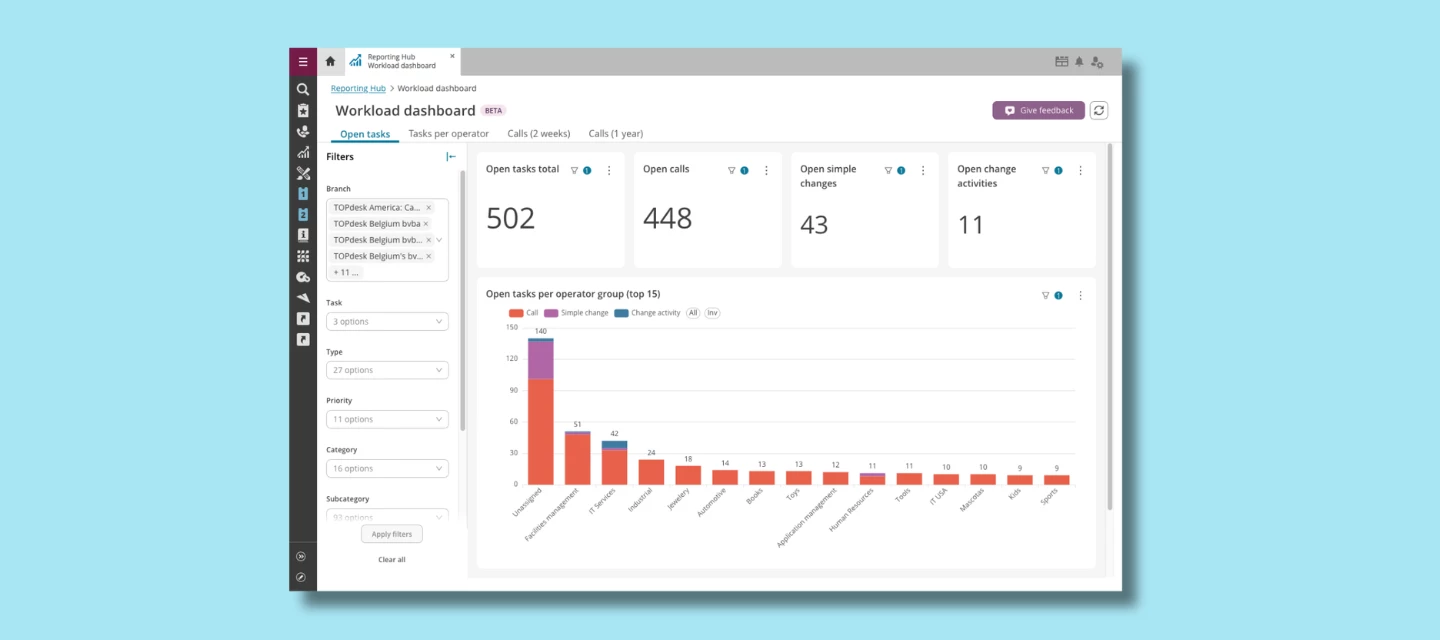



How busy is your service desk, really? Until now, answering that meant checking multiple reports or exporting data yourself. The new Workload dashboards in the TOPdesk Reporting Hub (Beta) bring it all together in one place.
For the first time, you can monitor calls, simple changes, and change activities in a single dashboard, giving you one complete view of your team's workload.
Spot bottlenecks before they become backlogs
Whether you're coordinating a service desk or managing a team, you need to know where work is piling up, and who has room to take on more. The Workload dashboards help you answer questions like:
- Which operator groups have the most open work?
- Which operators are carrying the heaviest workload?
- Are high-priority tasks evenly distributed?
- Are there unassigned tasks still waiting for an owner?
No more switching between modules. Just one clear overview of the work your team is handling.
Two dashboards, two perspectives
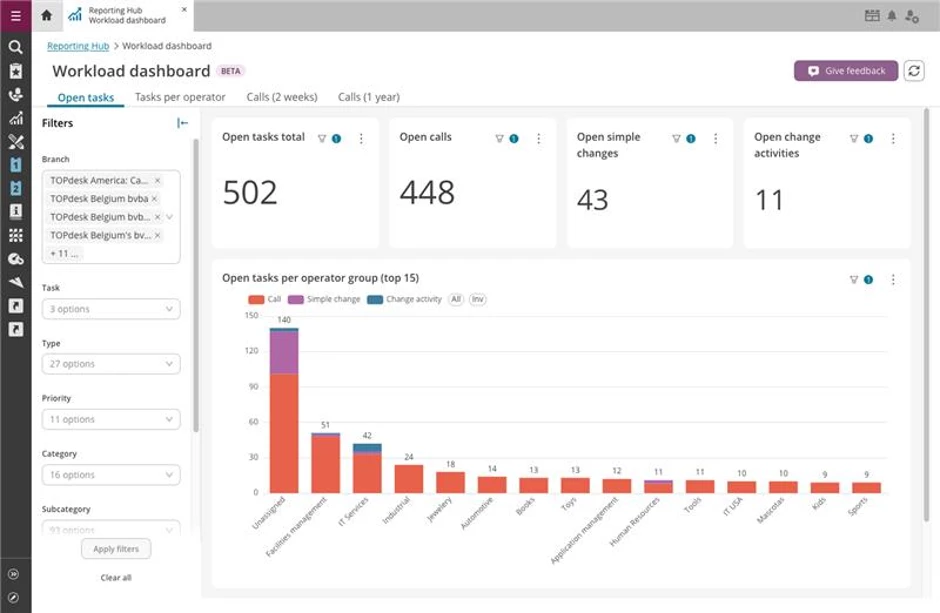
Workload per operator group shows how open calls, simple changes, and change activities are distributed across your teams, so you can spot overloaded teams and rebalance work.
Workload per operator lets you drill down to individual operators, making it easy to see who needs support, who has capacity, and which tasks are still unassigned.
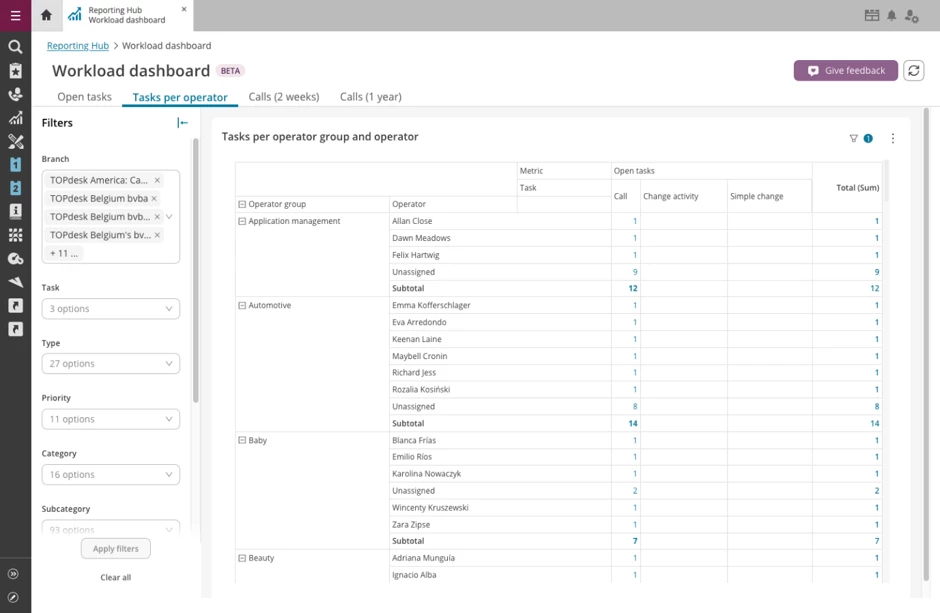
Both dashboards support filtering, so you can zoom in on the teams, branches, priorities, or categories that matter most to you.
Try it today
The Workload dashboards are available now in the Reporting Hub (Beta). Go to:
TOPdesk → Reporting Hub (Beta) → Workload
and explore your team's workload from a completely new perspective.
What's next?
This is the first release of our cross-module workload reporting. We're already working on expanding these dashboards with additional task types and new insights, so the Reporting Hub becomes the central place to monitor your service desk.
As always, we'd love to hear what you think. Your feedback helps shape what we build next.