


Keep Your Device Data in Sync: Using Intune as an Asset Import Source in TOPdesk
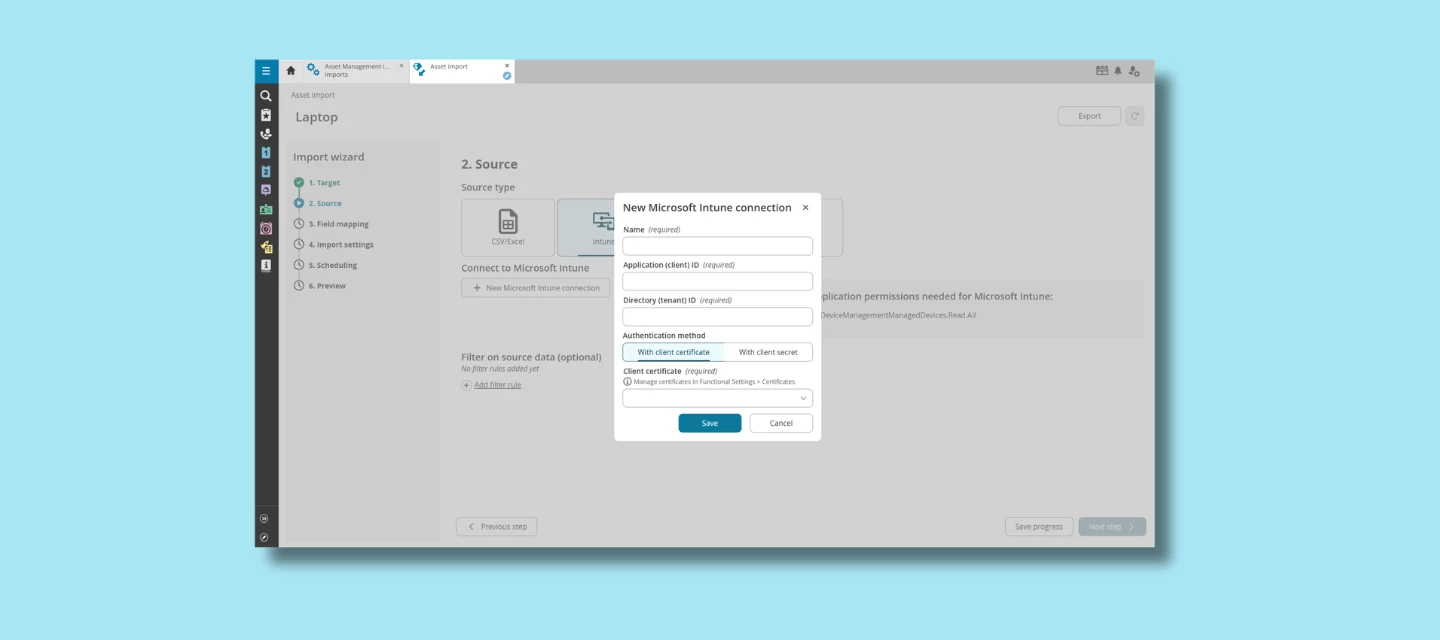
If your organization uses Microsoft Intune to manage laptops, mobile devices or other endpoints, TOPdesk’s Intune import option offers a powerful way to bring this device information directly into Asset Management.
With this connection, you'll always have an accurate and up‑to‑date overview of your managed devices inside TOPdesk. Supporting smoother daily operations and reducing manual work across your teams.
What Does the Intune Import Offer?
Automatic synchronization of managed devices
TOPdesk can retrieve Managed Devices from Intune and use them as input for your Asset Management imports, helping you keep your asset overview aligned with your real IT landscape.
Consistent and reliable asset data
Information stored in Intune, such as device types, ownership, and configuration details, is reflected in TOPdesk, reducing the risk of outdated or incomplete records.
Better workflow support across IT processes
Up‑to‑date device information makes it easier to handle incidents, prepare hardware replacements, support onboarding/offboarding, and document your hardware landscape for audits and security reviews.
When Does This Integration Add the Most Impact?
Organizations see strong benefits when:
- Devices are centrally managed through Intune
- Manual imports or spreadsheets take time to maintain
- Teams want one clear, trustworthy source of truth for hardware
- Lifecycle and compliance processes require consistent records
- Workflows depend on linking devices to employees or tickets
Whether you're scaling your IT landscape or simply seeking more efficiency, the Intune import can help streamline daily work and improve data quality across departments.
Availability in Your Environment
Depending on your environment configuration, the Intune option may already be visible as a source type in your Asset Management import settings. In some environments, additional steps may be required before the option becomes available. If you don’t see Microsoft Intune as a selectable source type, your TOPdesk Account Manager can advise you on what is needed to enable it for your setup.
Getting Started with Setup
For organizations that do have the Intune import available, the technical setup (including creating an Entra application with the correct permissions) is described in our documentation. This guide walks you through how to connect both systems and activate the import.
Share Your Experiences
Are you already using Intune as a data source? Or exploring whether it could strengthen your asset workflows?
We’d love to hear your questions, experiences, or best practices here on the Community. Your input helps other users understand what’s possible and where this integration can make the biggest difference.